

Connect your Amazon accounts
Connect as early as you can. Historical availability depends on the connector and report type. See the current Seller Central Orders and Finance backfill window and Amazon Ads backfill window. SourceMedium retains data already ingested as these request windows move forward.
Connected confirms authorization and lets syncing begin. Initial historical data appears progressively, so check marketplace and date coverage when verifying that your data is ready. See Amazon Ads setup for profile coverage. Amazon Ads totals use your store currency. See Reporting Currency before comparing them with platforms that use a workspace reporting currency.
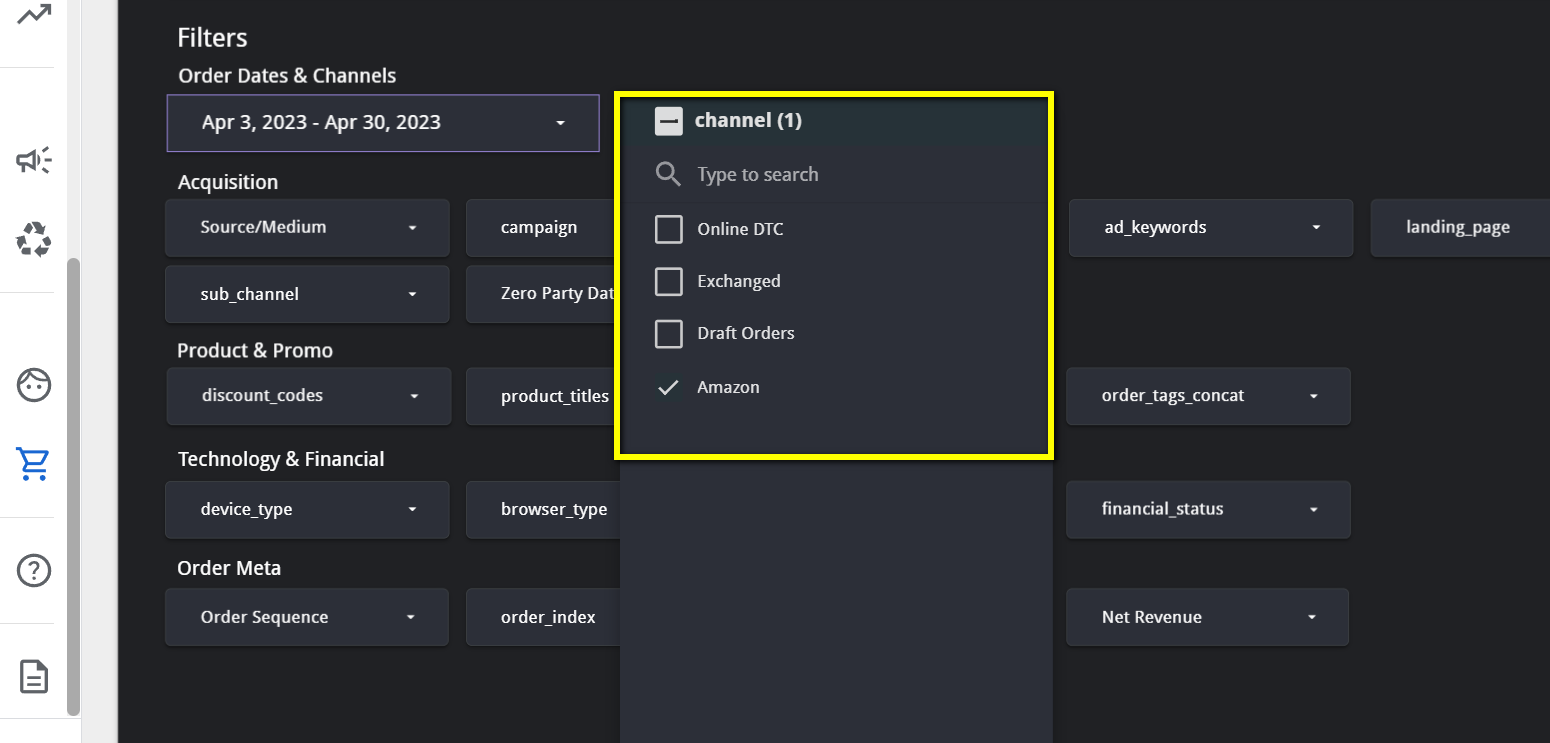
Use the Channel filter
The Channel filter sits at the top of nearly every module and defaults to Online DTC.- To see Amazon on its own, select only Amazon.
- To see Amazon next to Online DTC, select both.
- On LTV & Retention and Product Performance, select one channel at a time.
Where Amazon data appears
Executive Summary and YoY Performance
Net and gross revenue, orders, spend, ROAS, CPO, and new customers, with Amazon Ads and DSP spend included when those accounts are connected. Any extra Amazon spend you enter in the Configuration Sheet cost tab is added too. See the Executive Summary and YoY Performance module pages.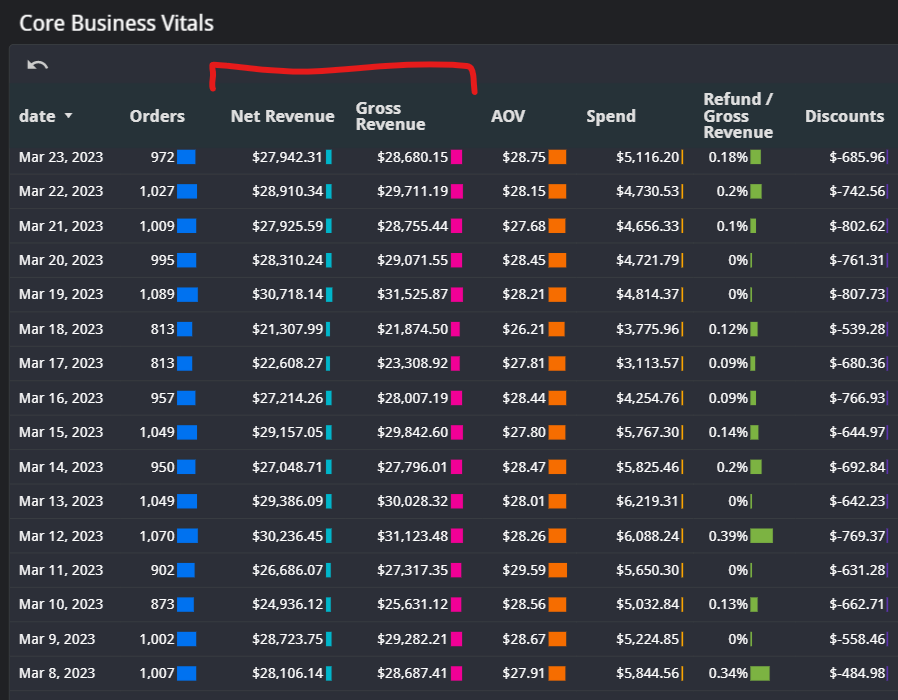
LTV & Retention
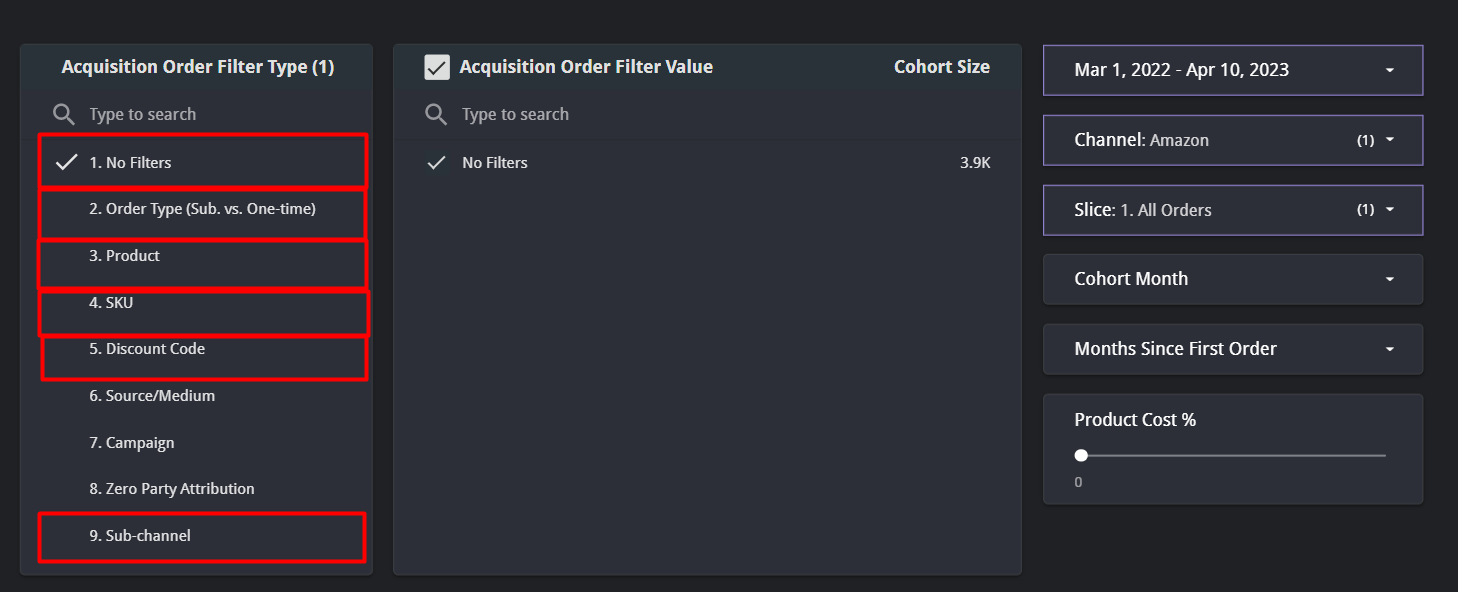
Select Amazon in the Channel filter to see cohorts built from Amazon acquisition orders. The Acquisition Order Filter Type lets you cut cohorts by:- No filters
- Order type (subscription vs. one-time)
- Product (by Amazon listing title)
- SKU
- Sub-channel (FBA or FBM)
Orders Deep Dive
Order-level detail for Amazon, including the order latency chart and the order latency filter for comparing purchase intervals across segments. See the Orders Deep Dive module.Product Performance
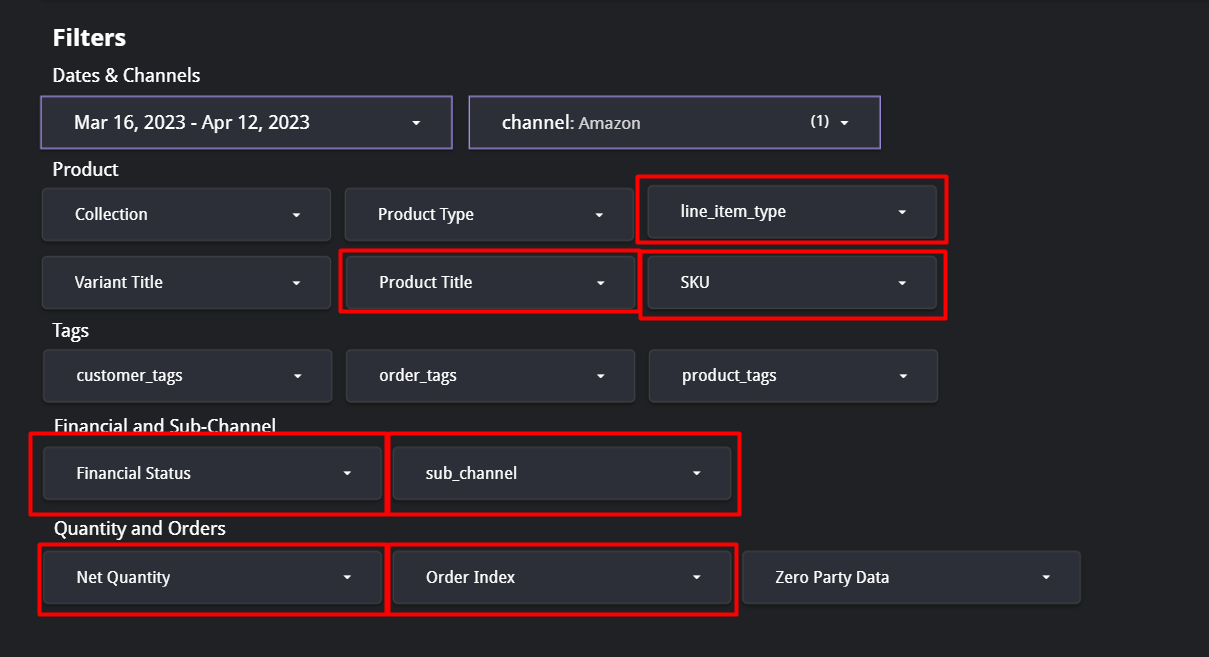
Amazon product results by product title and SKU. Filters include line item type (subscription vs. one-time), SKU, product title, financial status (paid, pending, refunded, voided), sub-channel (FBA or FBM), net quantity, and order index. The dashboard reports Amazon by SKU and product title. The ASIN is available in the warehouse asproduct_id on obt_order_lines and dim_product_variants. See the Product Performance module.
Marketing Overview
Amazon Ads and DSP spend, conversions, revenue, CPO, and ROAS by platform, campaign type, and campaign name. Use the Platform filter to switch between Amazon Ads and Amazon DSP; the Campaign Type and Campaign Name filters narrow further. The conversion counted for Amazon Ads is its 14-day attributed conversion; see What is reported as a conversion? and the Marketing Overview module.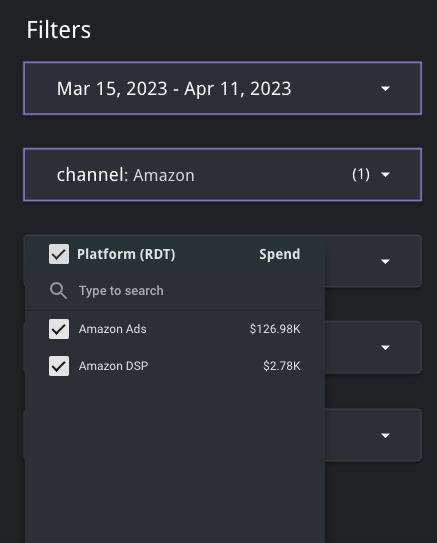
Limitations
Amazon does not share everything, so some charts stay empty for the Amazon channel. This is expected.- No customer identity. Amazon provides no email addresses, customer IDs, discount codes, or source/medium. Acquisition-channel and discount-code charts are empty for Amazon.
- Subscriptions are order-level only. Subscribe & Save orders are classified as subscription orders when Amazon flags them, but there is no subscriber lifecycle data such as active subscriber counts or cancellation dates.
- Recent days settle over time. Order volume firms up within a few days; revenue, refunds, and customer counts settle later. Treat the last 1 to 3 days as directional.
- Refunds arrive late. FBA returns are reported only after Amazon receives the item, often 30 days or more after the return request.
- Ads conversions restate. Amazon Ads revises conversion counts at 1, 7, and 28 days after the conversion.
Related
- Why has my Amazon data stopped showing up in my dashboard?
- Open a support request if a chart you expect to see is empty.