You need the Editor role (or Admin) in your workspace for this. See
Roles & permissions.
1
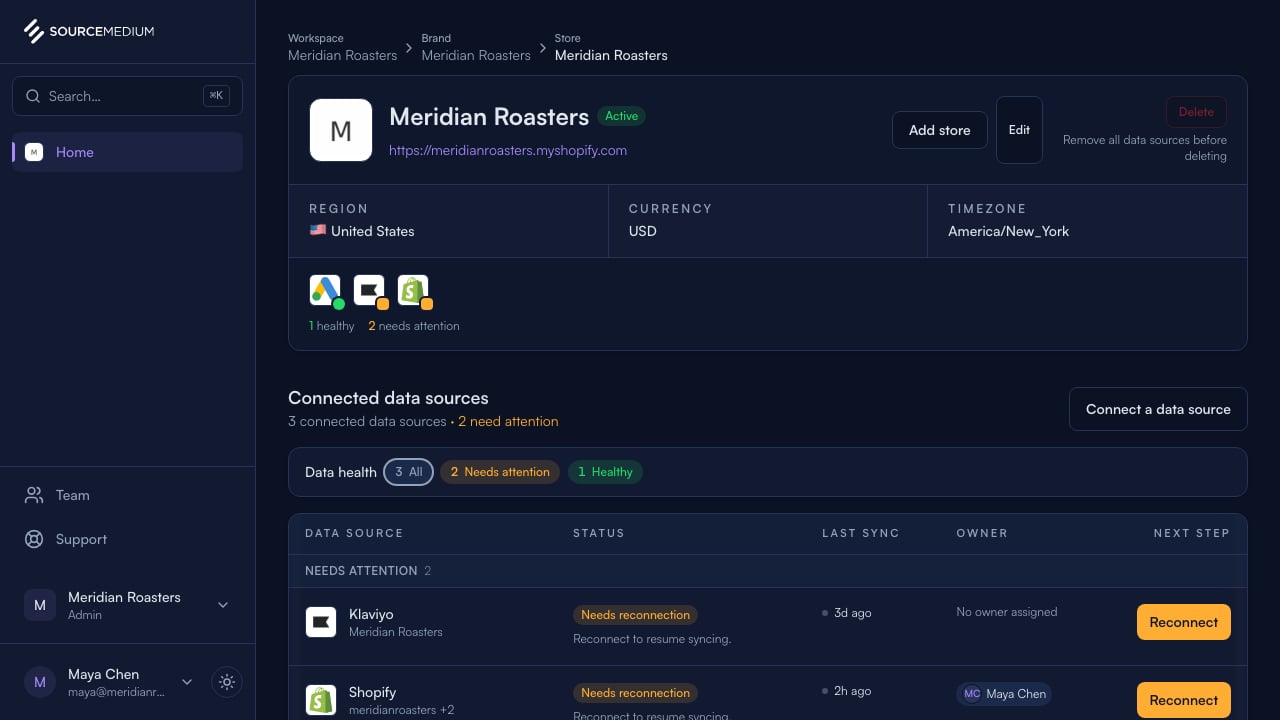
Find the connection that needs attention
The store page calls out an expired authorization and gives you one clear recovery action.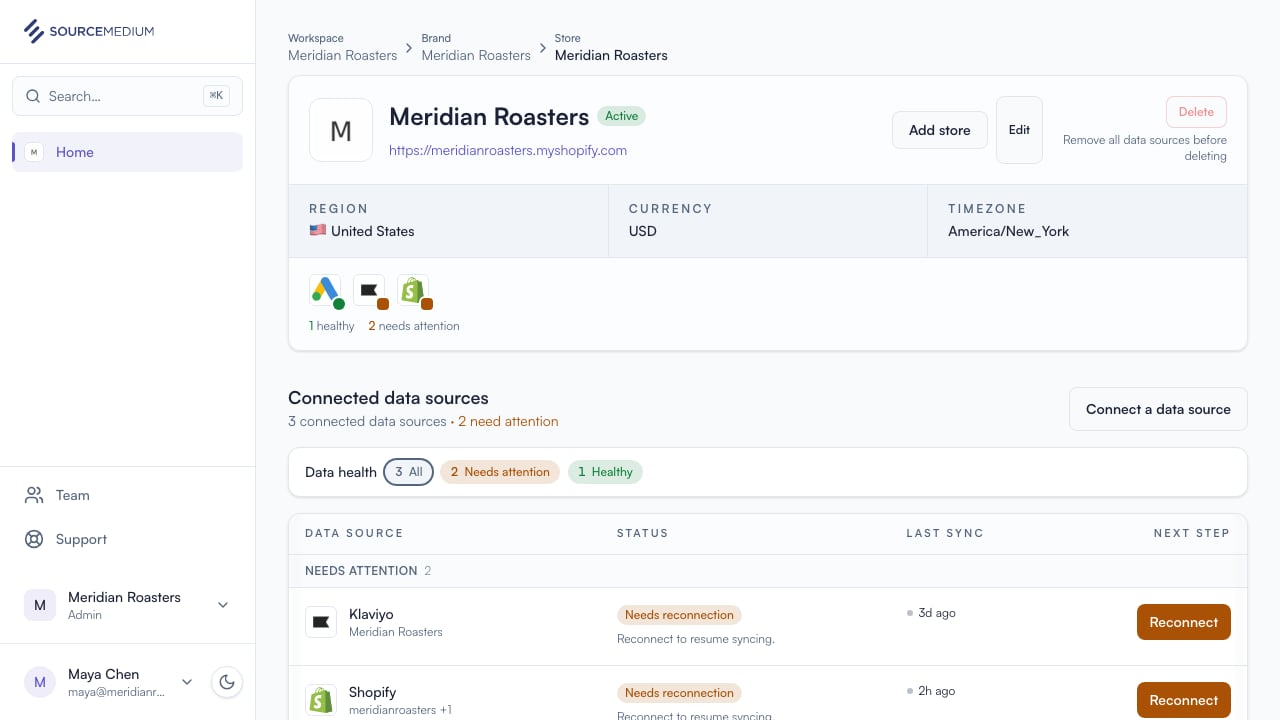
2
Open Shopify details
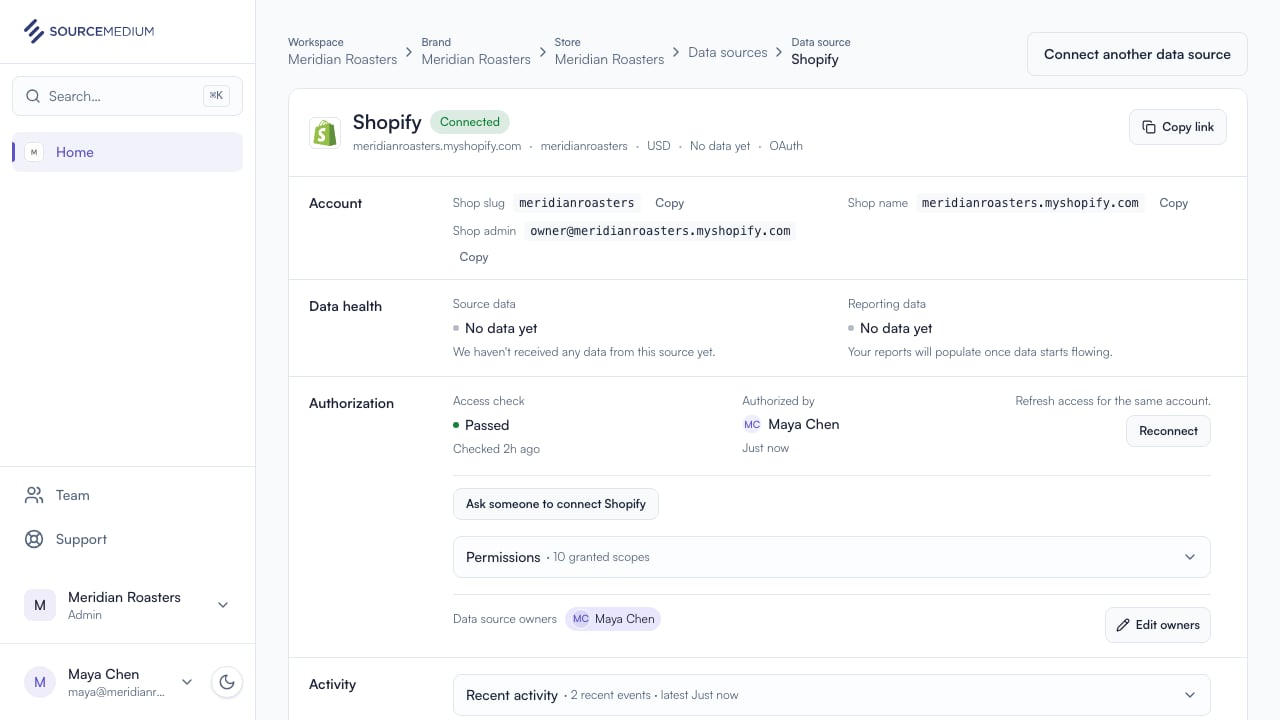
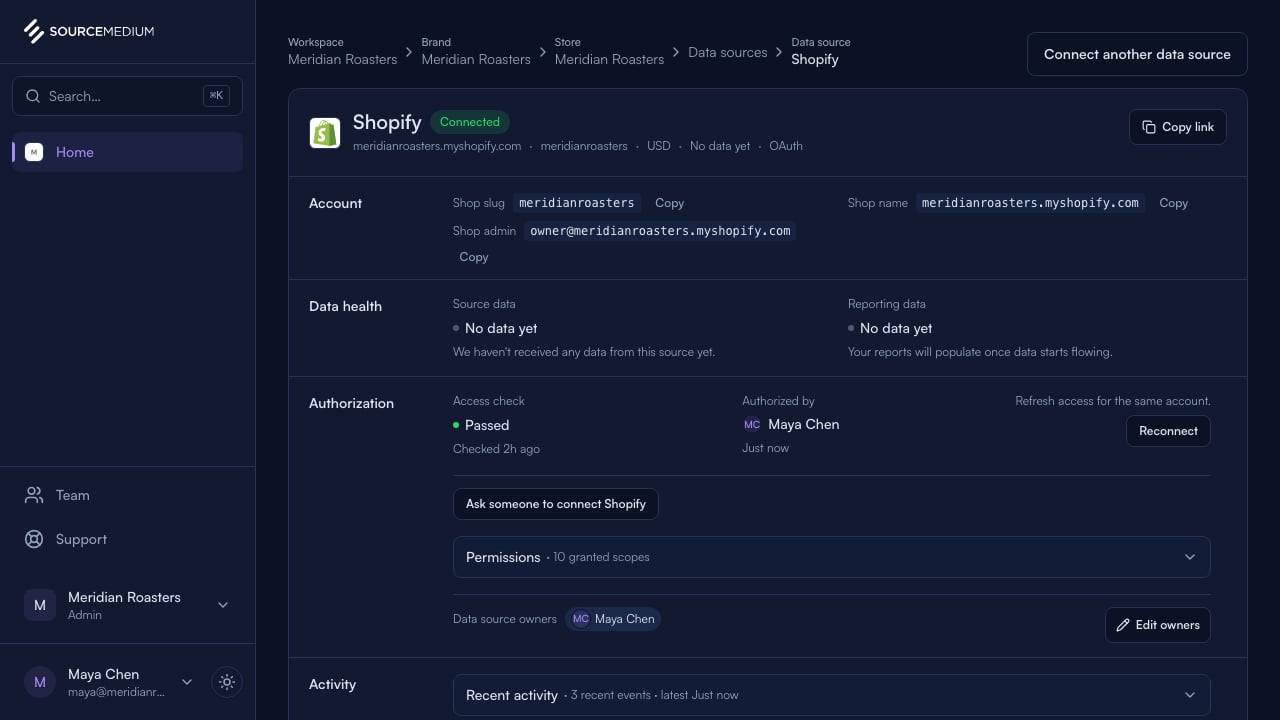
The detail page keeps the current account visible while offering a safe same-account reconnect.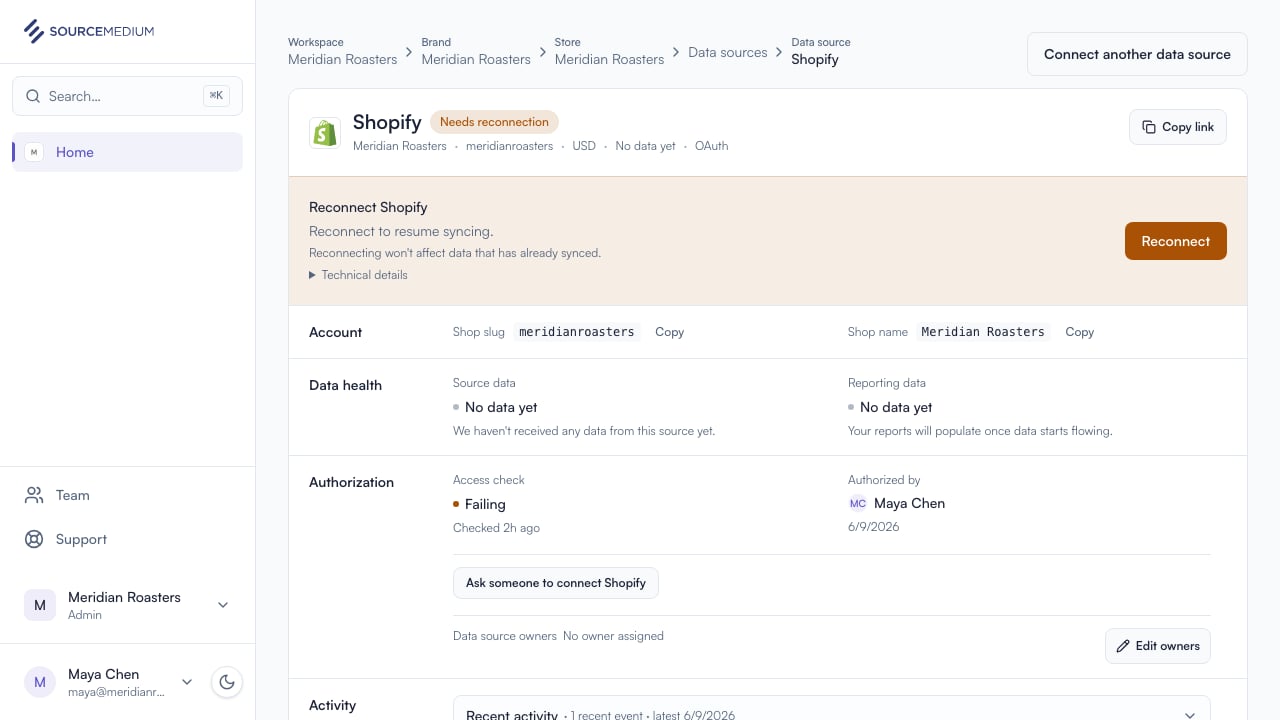
3
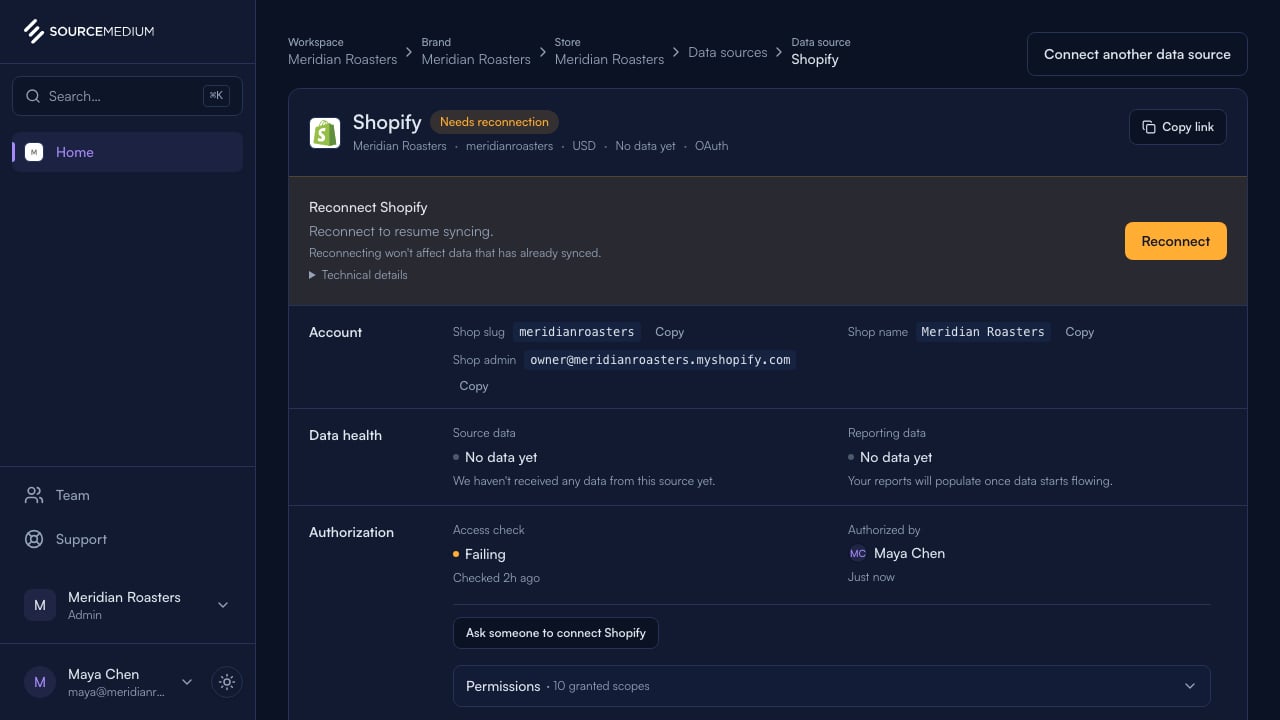
Approve renewed access
Approve access in Shopify. SourceMedium updates the existing connection automatically.
4
Confirm the connection is healthy
Shopify is connected again and ready to sync.