

rpt_executive_summary_daily, the same table behind the Data Studio Executive Summary. For each one, choose New → SQL query, pick the SourceMedium database, and paste the SQL from the template file. Replace DATASET with your transformed dataset name. Configure the variables below, run the question and format its columns, then save it with the name and visualization shown here.
The template’s SQL files share pieces through include lines: a line
-- @include periods stands for include/periods.sql, and any -- @include name stands for include/name.sql in the same folder. Replace each such line with that file’s contents, including any include lines inside it, before you paste the query.
Set up the variables
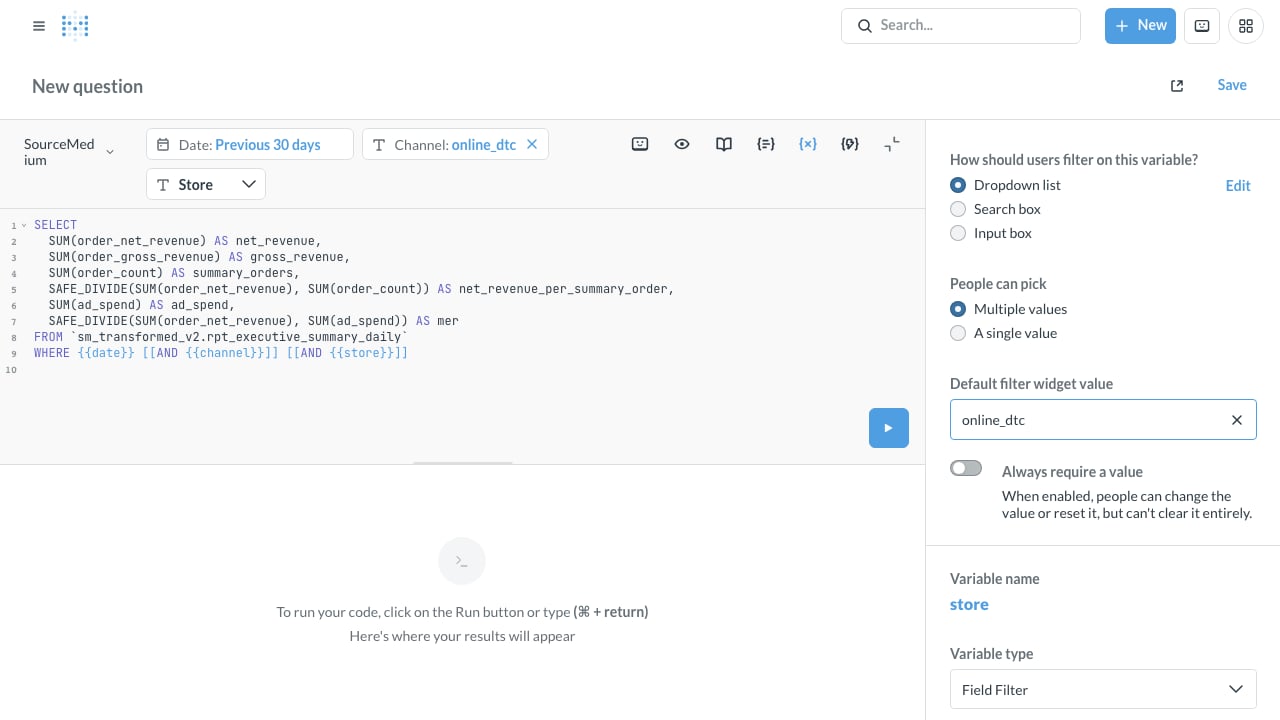
When you paste a query, Metabase opens a sidebar for each{{variable}}. Set Variable type to Field Filter for these three:
For Channel, click Enter a default value…, select
online_dtc, then Add filter. Leave Always require a value off so you can clear Channel to see all delivered channels.
The other variables are values the SQL reads. Set their Variable type to Text, turn on Always require a value, and give each its default:
- Date default
- Channel default
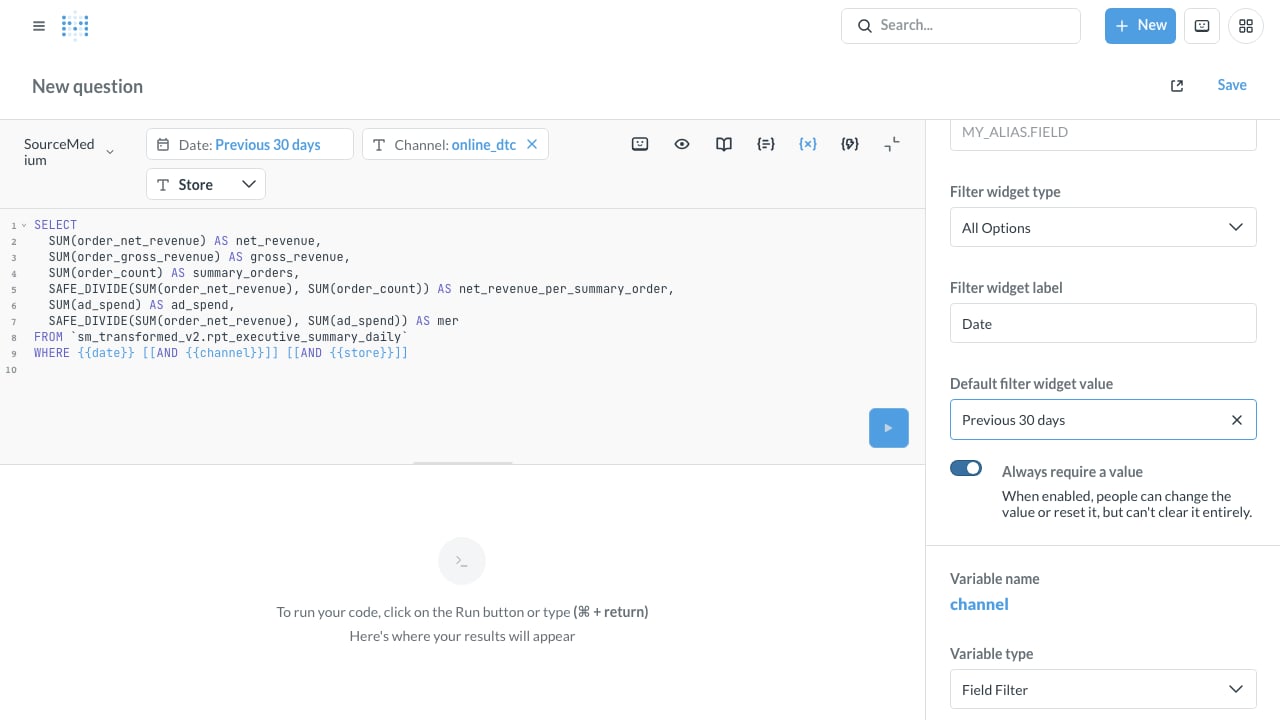
Date is required and defaults to Previous 30 days.
Format the columns
Before saving each table question, click the gear beside Visualization, then Columns. Open the gear beside a column and set:- Money columns (
net_revenue,period_net_revenue,net_revenue_per_summary_order,ad_spend,period_ad_spend): Number of decimal places 2. Leave the style as a number. Order money and ad spend are not always in one currency, so a currency symbol can label a mixed amount. summary_orders,period_summary_ordersandsessions: Number of decimal places 0.merandperiod_mer: Number of decimal places 2. Keep them plain numbers, rather than percentages or currency.- The
_changecolumns: Style Percent.
mer follow the display units SourceMedium publishes. The template’s installer applies those automatically.
Click Done and save the question. If you already saved it, choose Replace original question when Metabase asks whether to replace or save as new.
Assemble the dashboard
- Create a dashboard named SourceMedium executive summary and add the three questions, top to bottom.
- Click Edit dashboard → Add a filter or parameter to add a date filter, and text filters named Channel, Store, Compare with, Second comparison, Trend values and Period.
- Wire each filter to the matching variable on every card that has it. Give the date filter the default Previous 30 days, Channel the default
online_dtc, and the other filters the defaults above. Leave Store blank, or select one store when comparing numbers. - Paste the methodology note into the dashboard description.
foundation/sql folder. Paid marketing questions use an ad_platform variable instead of channel, and retention uses an as_of_month date variable instead of date. Every variable and its default is in the template’s src/filters.mjs, and Customize the foundation explains them.