Steps
-
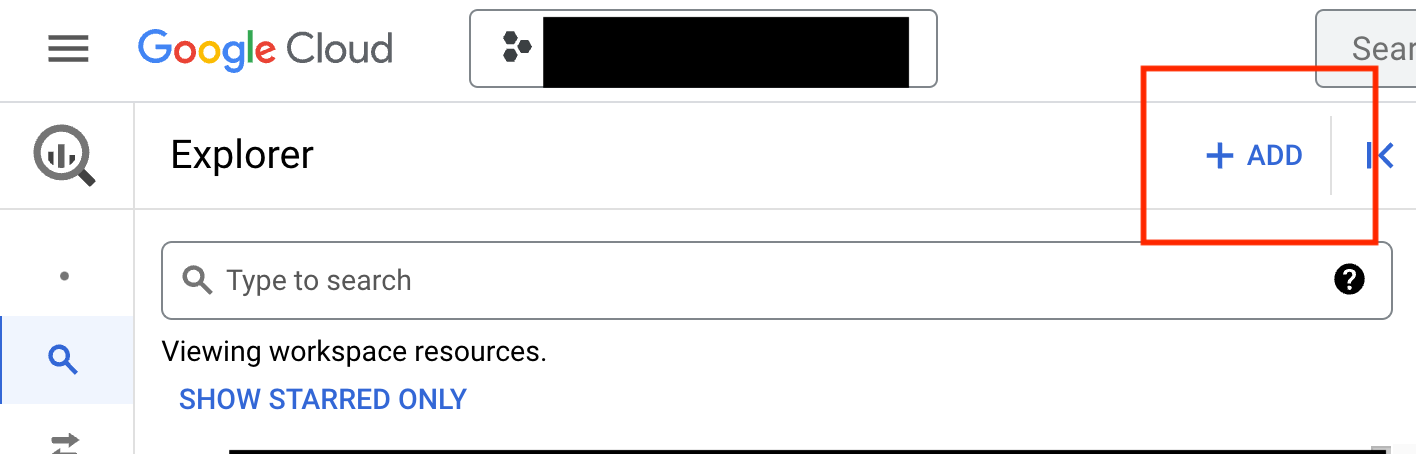
From the BigQuery SQL Workspace, find and click the blue “+ ADD” button above your data explorer
-
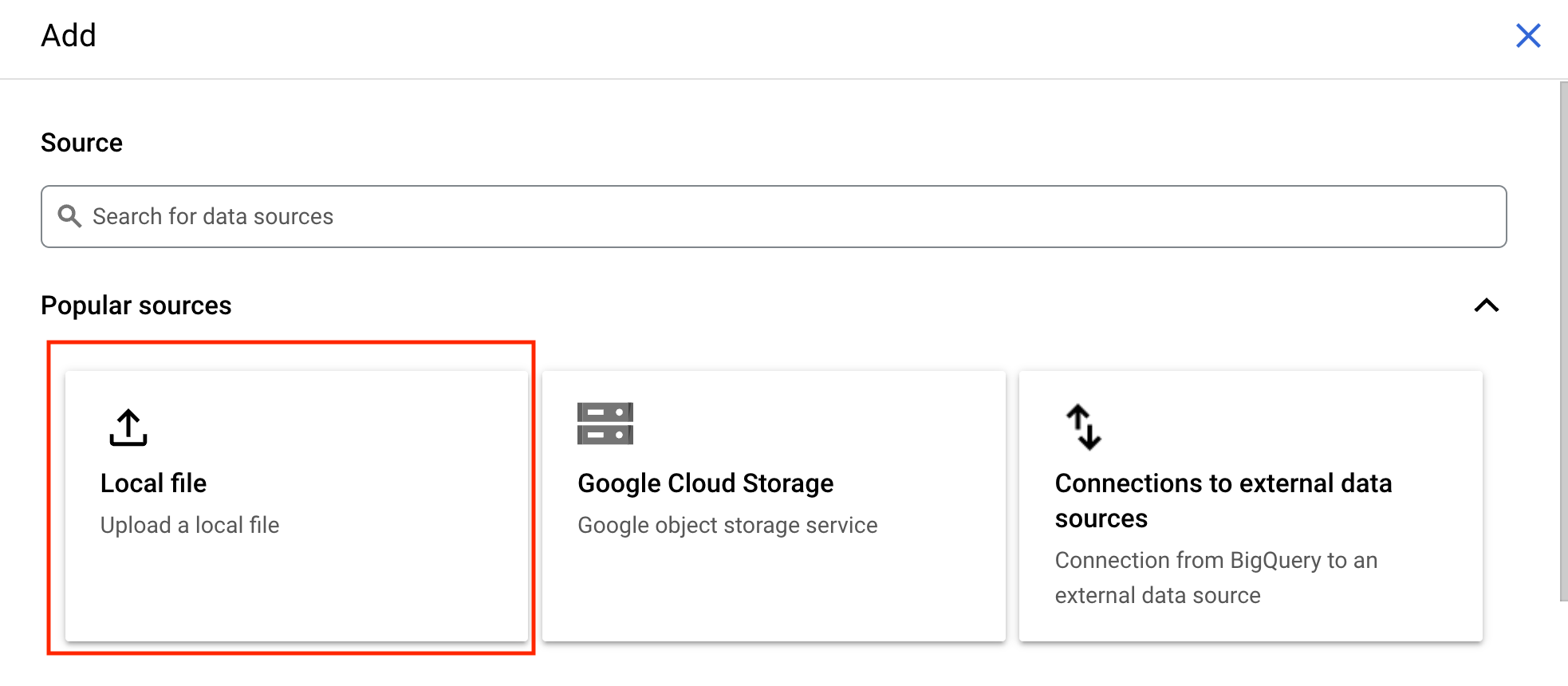
In the pane that opens select the location of the file you wish to upload. For a CSV file from your local machine, select “Local file”
-
In the upload form, select the file you wish to upload
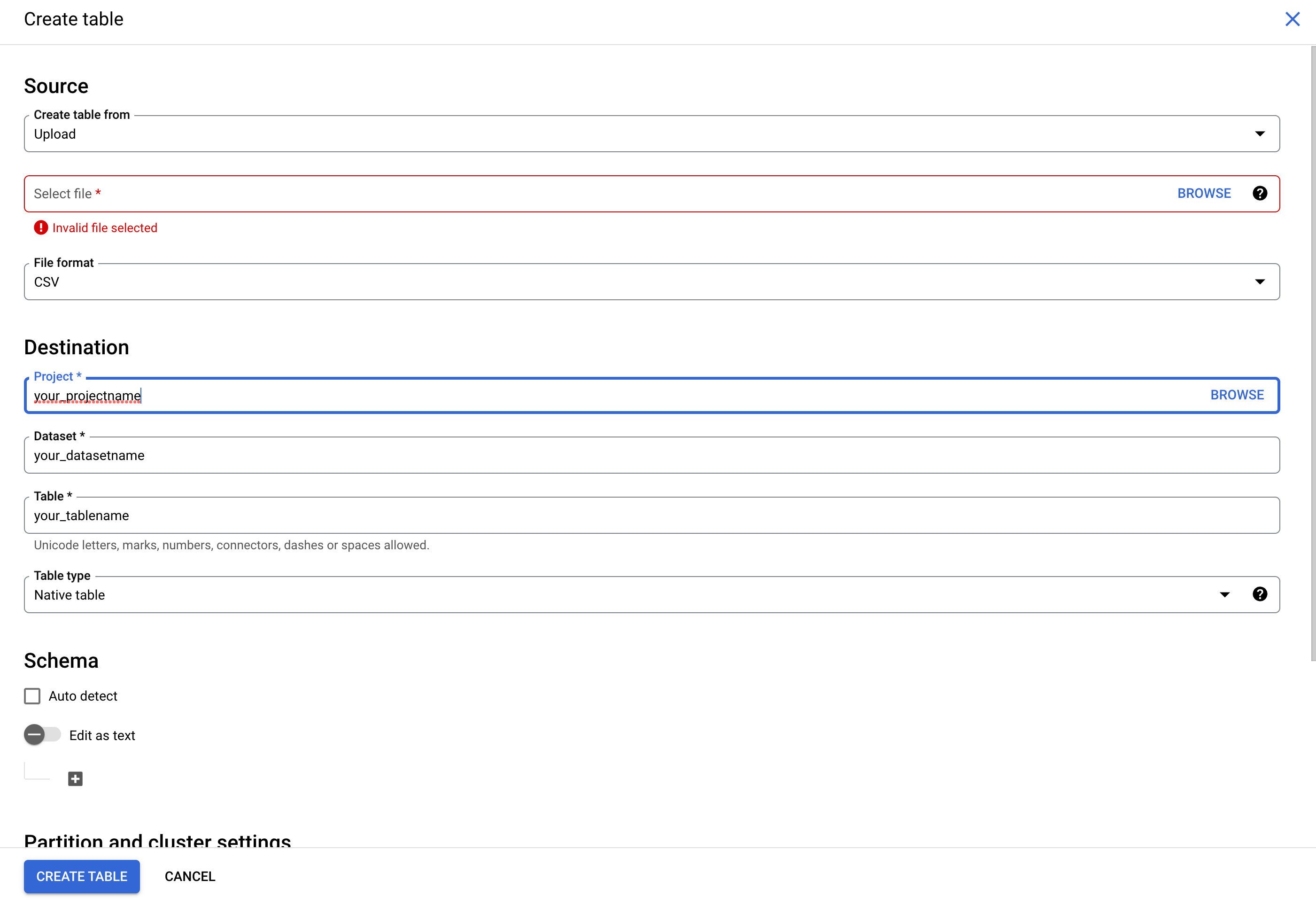
- Select “CSV” as the File format
- Specify the project, dataset, and table names where would like it to appear in your BQ instance
- You can manually specify the schema or select “Auto detect” to allow BigQuery to use the column names as they appear in the CSV
- Once you’ve done the above, click the “CREATE TABLE” button
-
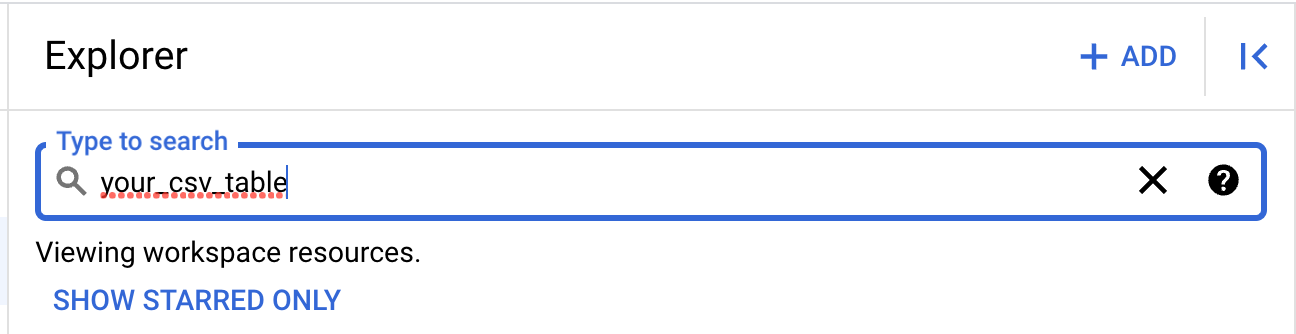
You can now search for your table and query its contents from your data explorer