Touch points and purchase journeys
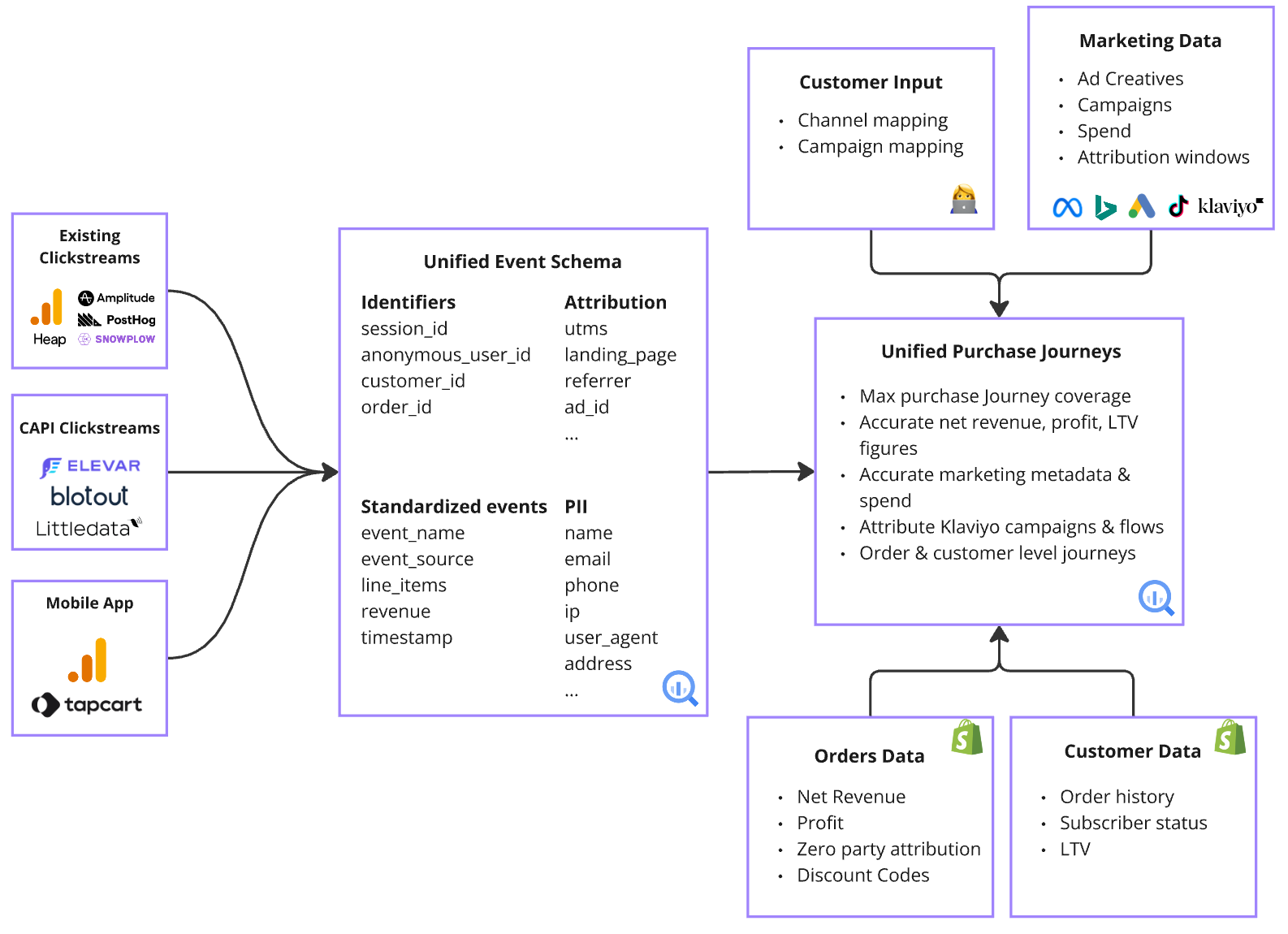
A touch point is a website event recorded before a purchase, such as a page view that arrived from an ad or an email link. It carries the landing page, UTM parameters, referrer, and any ad identifiers captured on that visit. A purchase journey is the ordered set of touch points that lead to one order. Events come from your website tracking feed (GA4, Elevar, Blotout, RudderStack, or Snowplow) and are standardized to the GA4 e-commerce event schema. When more than one feed recorded the same order, SourceMedium keeps the journey with the most attribution detail. Detail means the most distinct ads, campaigns, ad groups, channels, and landing pages, then the most valid touches. Feed precedence only breaks ties.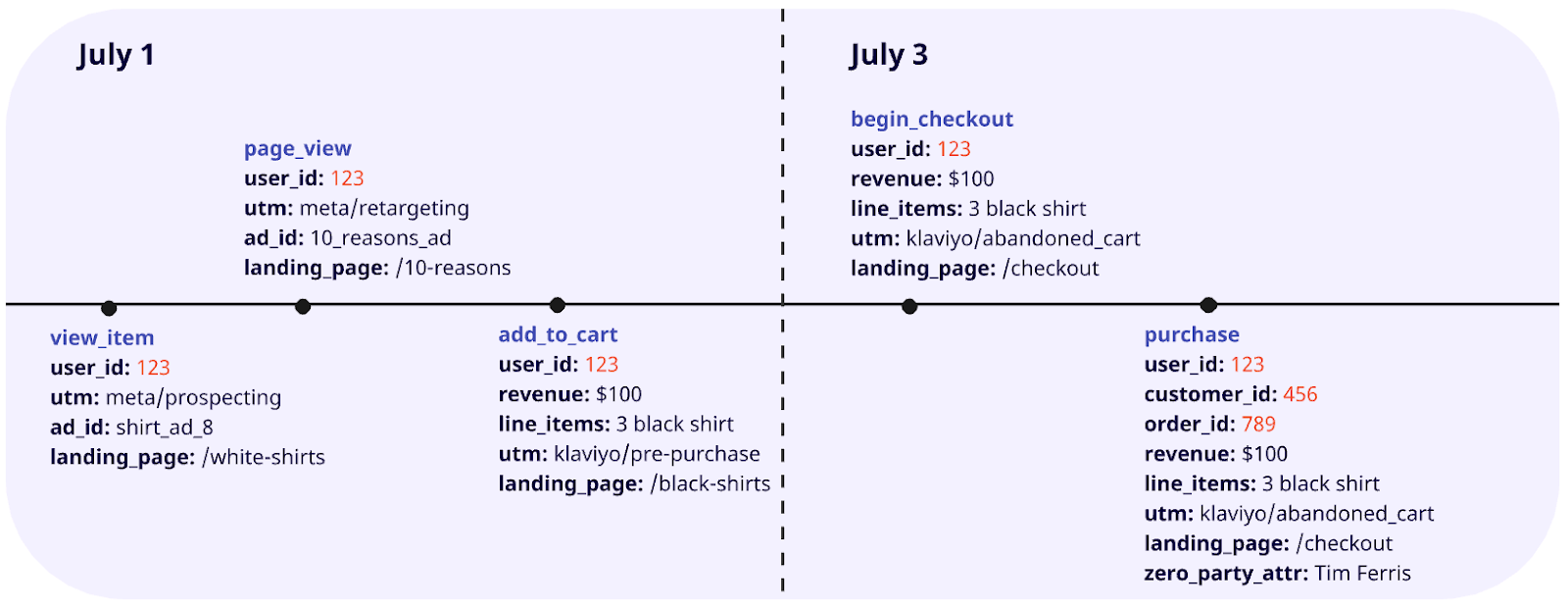
The 120-day lookback
A touch point counts toward an order only if it happened within 120 days before the purchase, and after the customer’s previous purchase. Older touch points are dropped from the journey.What makes a touch valid
Not every event in a journey earns credit. A touch is valid when all of these hold:- It is not the purchase event itself.
- Its page is not an order confirmation, policy, app, user account, or order tracking page.
- It carries a value for the dimension being measured: a mapped marketing channel, a recognized ad, campaign, or ad group, or a landing page path.
- For the marketing channel dimension, the channel is not brand search,
(none),(other), order tracking, survey, employee links, Calendly, or customer support (customer_success).
The three attribution models
Each model splits an order’s revenue across the valid touches in its journey:- First touch gives all credit to the earliest valid touch. Use it to see which channels bring in customers.
- Last touch gives all credit to the latest valid touch before the purchase. Use it to see which channels close.
- Linear gives every valid touch an equal share: 1 divided by the number of valid touches. Use it to see the whole path.
The six dimensions
Every model is computed independently for six dimensions. Each dimension has its own set of valid touches, its own touch count, and its own credit.
Terms you will see in the dashboard:
- Attributable: a purchase is attributable in a dimension when it has at least one valid touch there. For channel, ad, campaign, and ad group, it also needs at least one touch that is not email or SMS.
- Distinct dimension values: the number of unique values in a dimension across the journey. Three visits from the same landing page are three touches but one distinct value.
- Days to conversion: days between the first valid touch in a dimension and the purchase, computed per dimension.
- Purchase journey type:
single_session,same_day_multi_session(several sessions, first touch on the purchase date), ormulti_day_multi_session. - Source system: the event feed the journey came from, such as GA4 or Elevar.
The MTA dashboard
MTA reporting is a standalone Looker Studio dashboard, separate from your main SourceMedium dashboard. You copy it from the SourceMedium template; see Set up the MTA dashboard. It has four modules. Every module has a date range filter: a purchase journey is included when its purchase date falls in the range, and its touch points are never cut by the filter.Attribution Health
The share of purchases and revenue that is attributable in each dimension. If your attribution rate is low, see Attribution health for causes and fixes.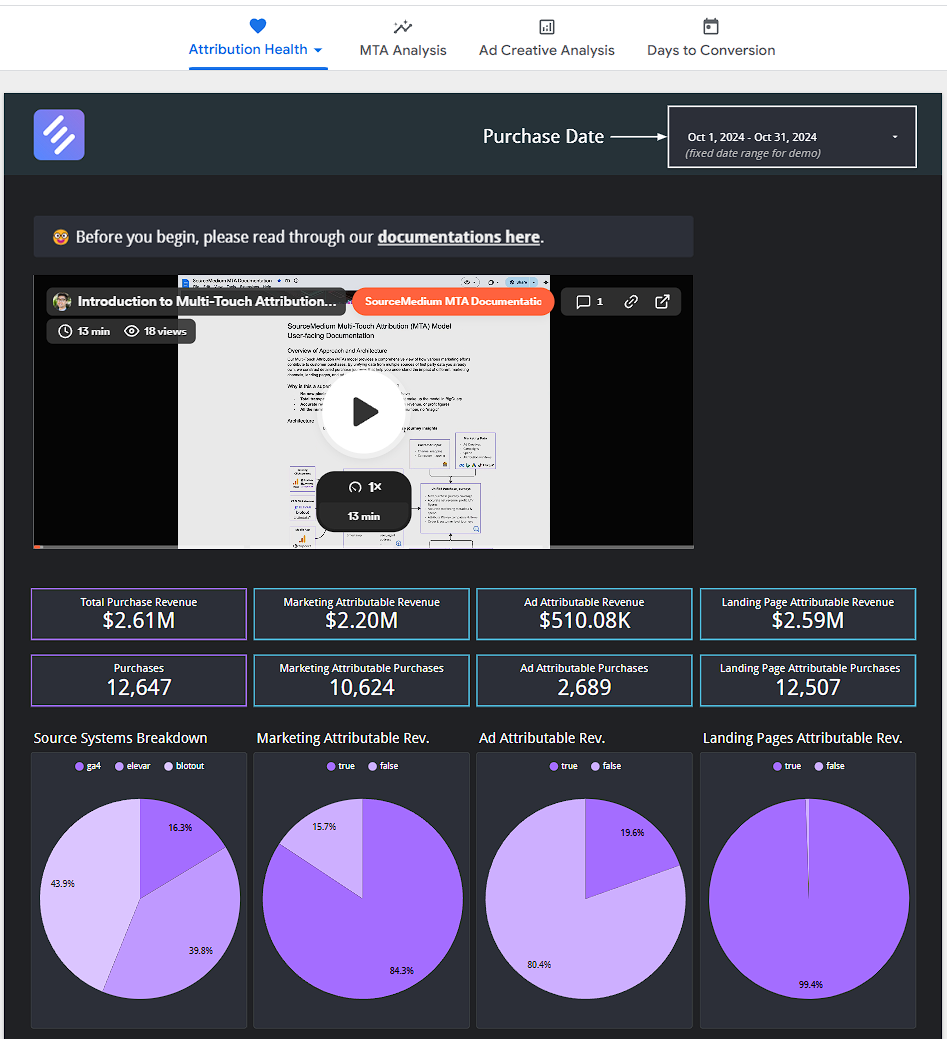
MTA Analysis
Aggregates of every attribution model for the selected dimension. Filters: Model Dimension. Minimum Dimension Values drops journeys with fewer distinct values. Dimension Value(s) picks specific channels, ads, or pages. First and/or last touch dimension value fixes the start or end of the journeys shown.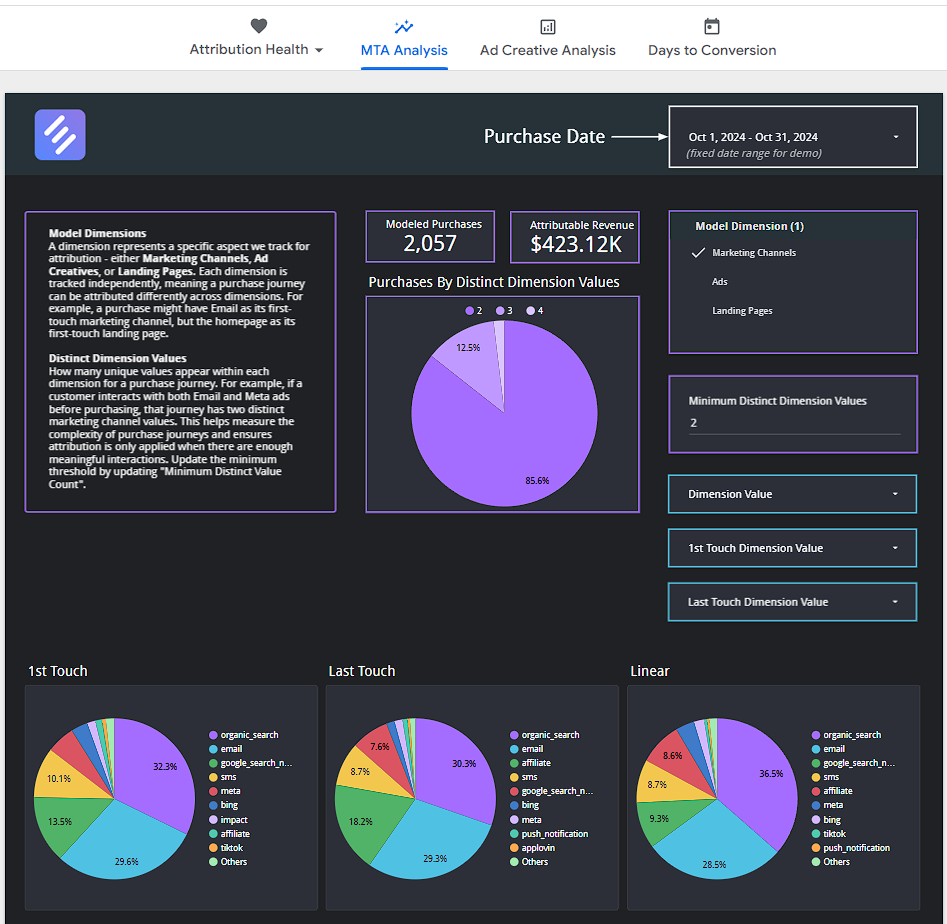
Ad Creative Analysis
Revenue by attribution model and modeled ROAS for individual ads. Filters: Ad Platform(s), Ad Name(s) or Ad ID(s), Campaign Name(s), and Campaign Tactic(s) such as Prospecting, Retargeting, or Brand.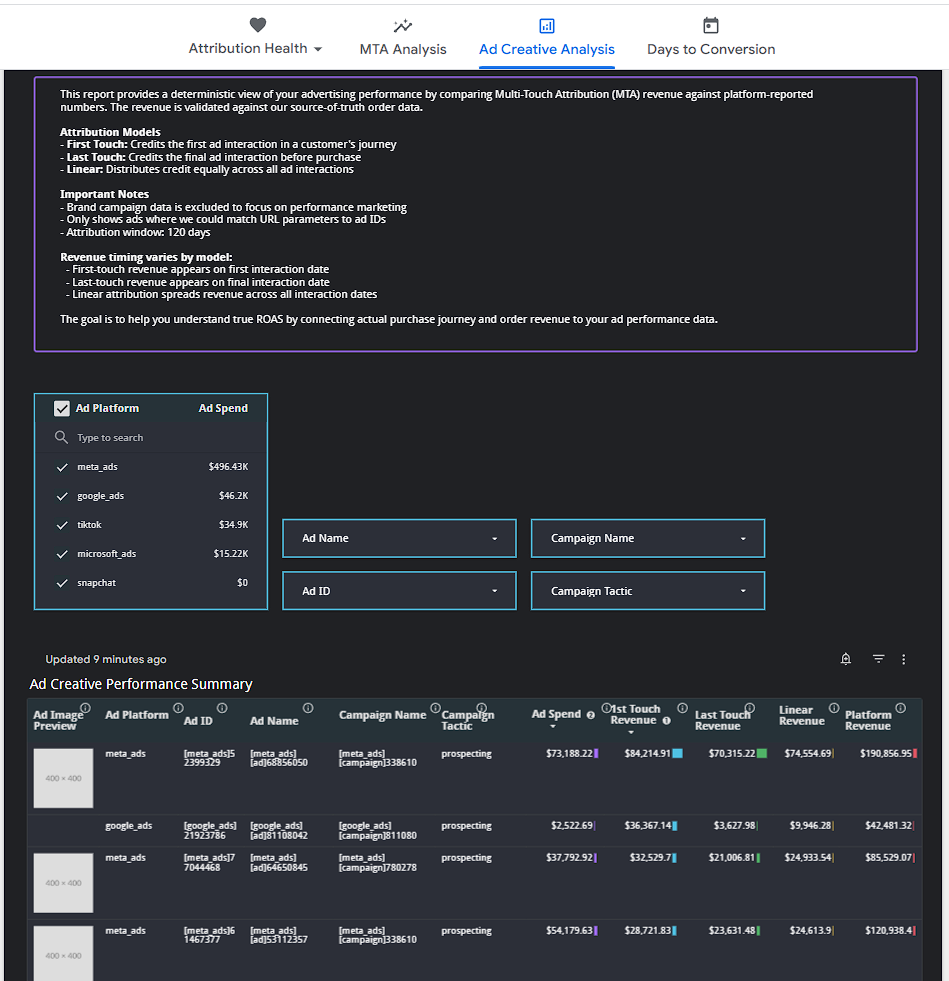
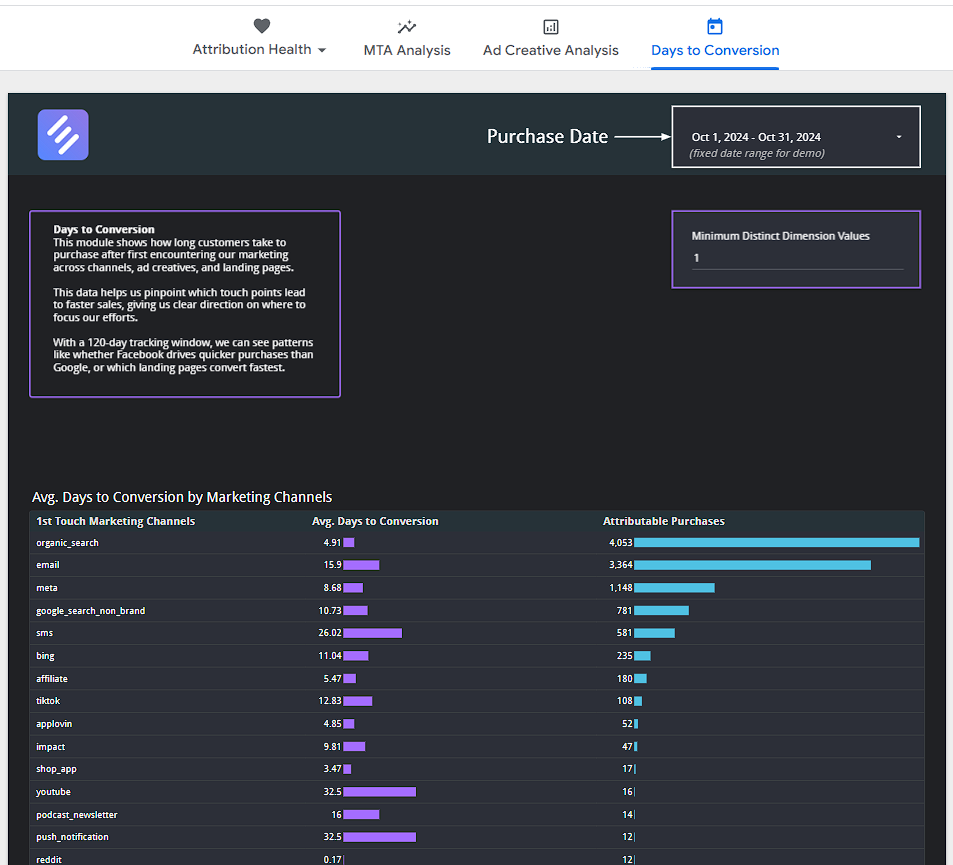
Days to Conversion
Average purchase journey length per dimension. Filters: Minimum Dimension Values.