> ## Documentation Index
> Fetch the complete documentation index at: https://docs.sourcemedium.com/docs/llms.txt
> Use this file to discover all available pages before exploring further.

# Set up a new workspace

> Complete company and store details, then review the subscription agreement.

Watch the short narrated walkthrough, or follow the written steps and
screenshots below.

<Frame>
  <video controls className="w-full aspect-video" src="https://mintcdn.com/sourcemedium/vJWhKdrmNWXiJXVp/images/product-tours/self-service-onboarding/demo.mp4?fit=max&auto=format&n=vJWhKdrmNWXiJXVp&q=85&s=9b4c2550520a20d052fd50e5122d963b" poster="/images/product-tours/self-service-onboarding/01-enter-company-details.png" data-path="images/product-tours/self-service-onboarding/demo.mp4" />
</Frame>

<Steps>
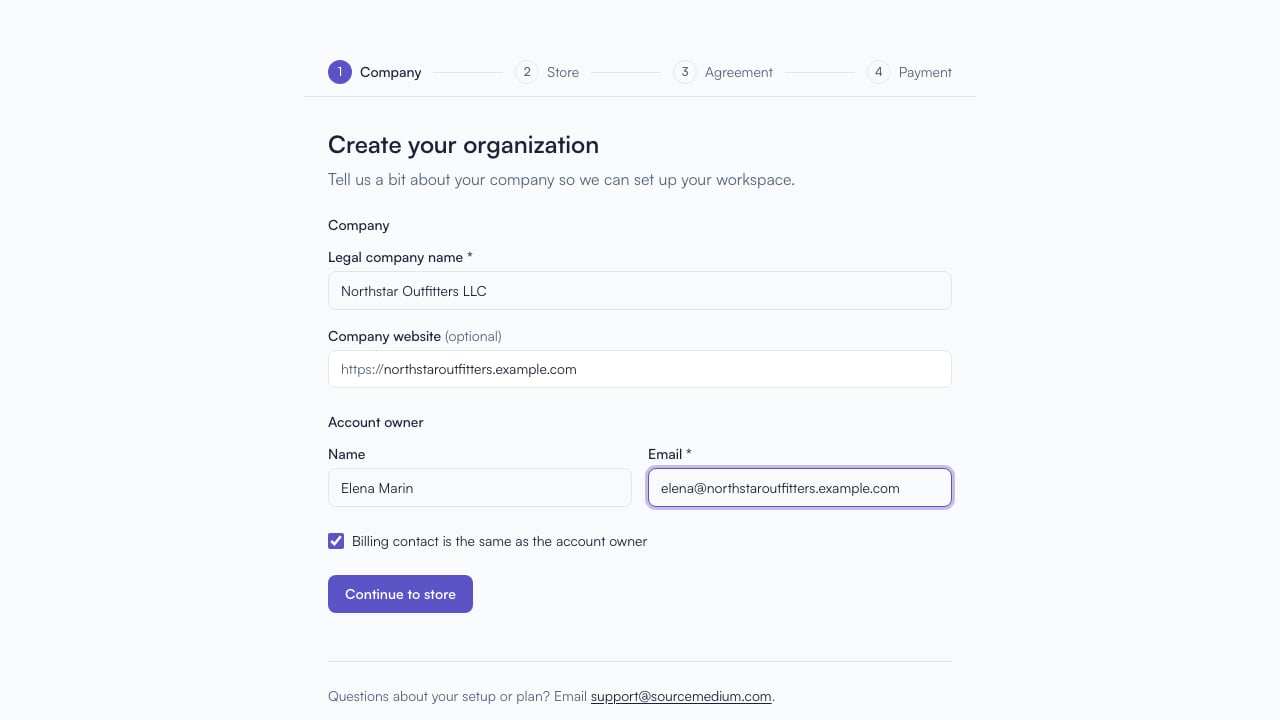
  <Step title="Enter company details">
    Start with your legal company name and contact details.
    <img src="https://mintcdn.com/sourcemedium/vJWhKdrmNWXiJXVp/images/product-tours/self-service-onboarding/01-enter-company-details.png?fit=max&auto=format&n=vJWhKdrmNWXiJXVp&q=85&s=29f4e5c8cd00e3f34a1d3e6d654e3ef9" alt="Enter company details" width="1280" height="720" data-path="images/product-tours/self-service-onboarding/01-enter-company-details.png" />
  </Step>

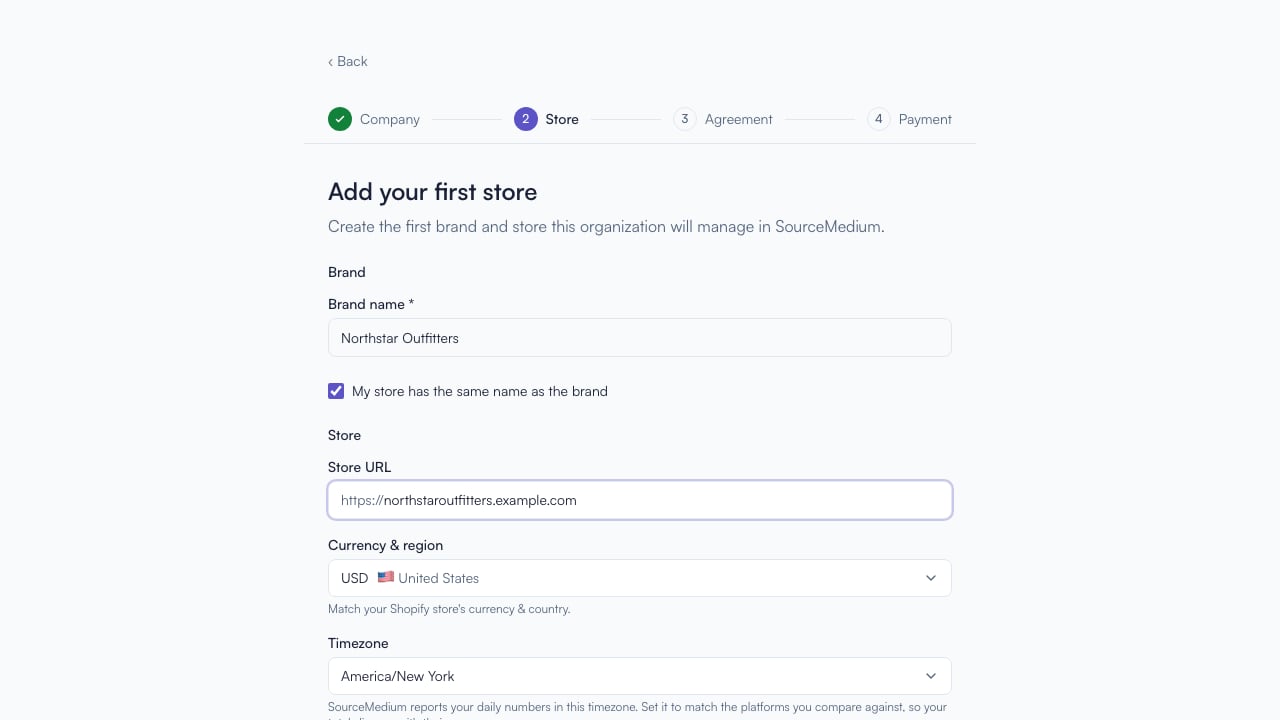
  <Step title="Add the first store">
    Save the company profile, then name your first brand and add its storefront URL.
    <img src="https://mintcdn.com/sourcemedium/vJWhKdrmNWXiJXVp/images/product-tours/self-service-onboarding/02-add-the-first-store.png?fit=max&auto=format&n=vJWhKdrmNWXiJXVp&q=85&s=15c5414a479ba2033171526c47df40ba" alt="Add the first store" width="1280" height="720" data-path="images/product-tours/self-service-onboarding/02-add-the-first-store.png" />
  </Step>

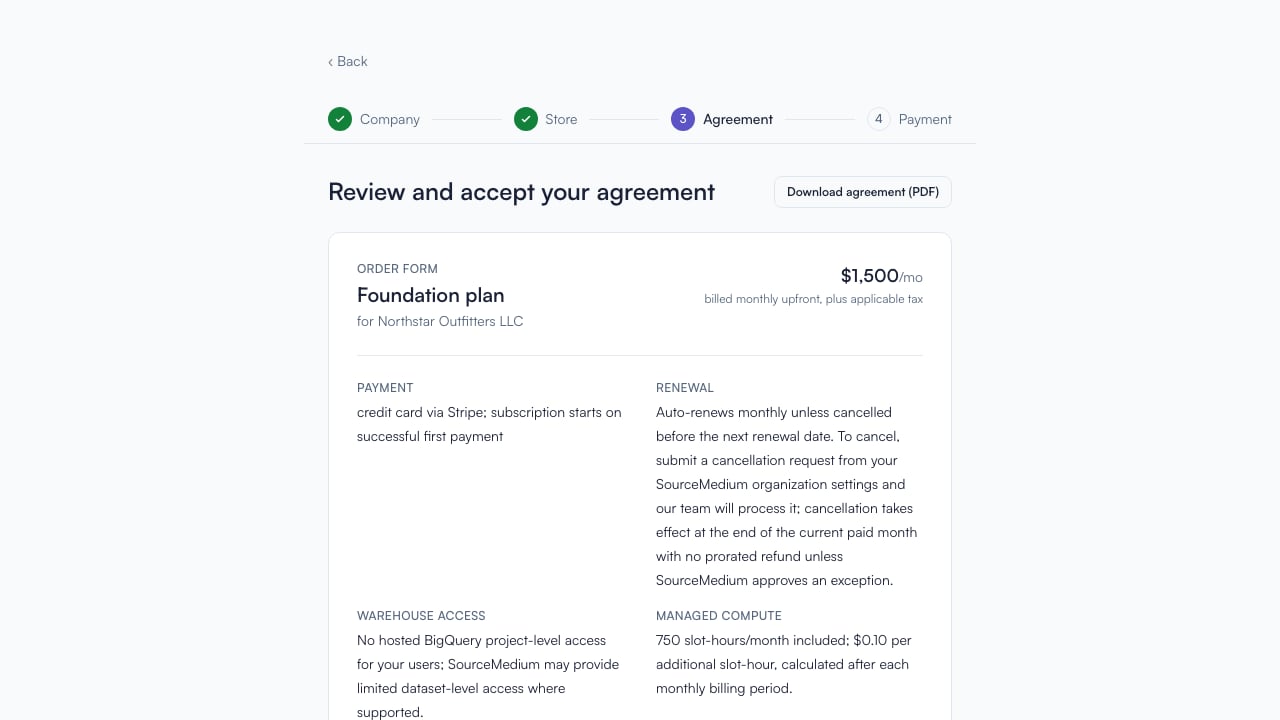
  <Step title="Review the agreement">
    Store details lead directly to the plan summary and subscription agreement.
    <img src="https://mintcdn.com/sourcemedium/vJWhKdrmNWXiJXVp/images/product-tours/self-service-onboarding/03-review-the-agreement.png?fit=max&auto=format&n=vJWhKdrmNWXiJXVp&q=85&s=fc3ae37c9b08fadd7700de35dfaca04b" alt="Review the agreement" width="1280" height="720" data-path="images/product-tours/self-service-onboarding/03-review-the-agreement.png" />
  </Step>

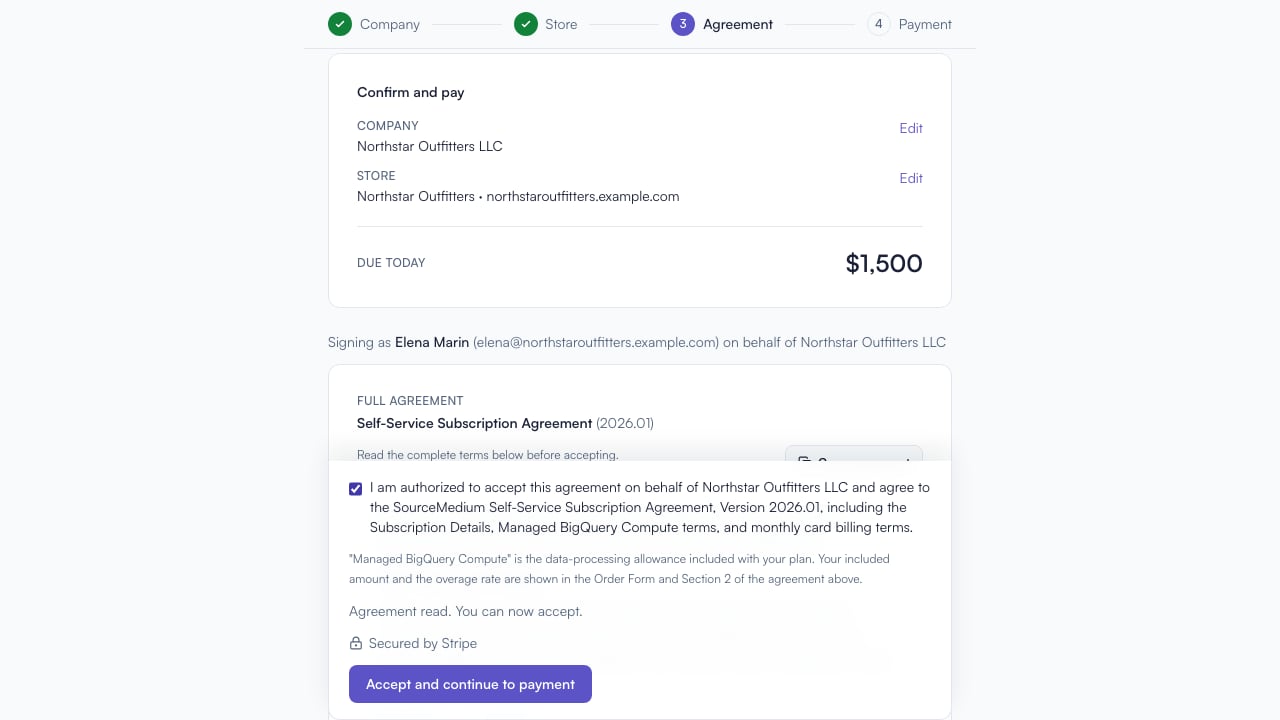
  <Step title="Unlock payment">
    Read to the end and confirm consent to unlock the payment step.
    <img src="https://mintcdn.com/sourcemedium/vJWhKdrmNWXiJXVp/images/product-tours/self-service-onboarding/04-unlock-payment.png?fit=max&auto=format&n=vJWhKdrmNWXiJXVp&q=85&s=1d20dc493e66720a38b08010956c336c" alt="Unlock payment" width="1280" height="720" data-path="images/product-tours/self-service-onboarding/04-unlock-payment.png" />
  </Step>
</Steps>

## Related

* [Finish payment and start setup](/product-tours/payment-complete)
