> ## Documentation Index
> Fetch the complete documentation index at: https://docs.sourcemedium.com/docs/llms.txt
> Use this file to discover all available pages before exploring further.
# Connect a data source with an API key
> Add a data source like Richpanel by choosing it and entering its API key.
You need the **Editor** role (or Admin) in your workspace for this. See
[Roles & permissions](/product-tours/roles-and-permissions).
Watch the short narrated walkthrough, or follow the written steps and
screenshots below.
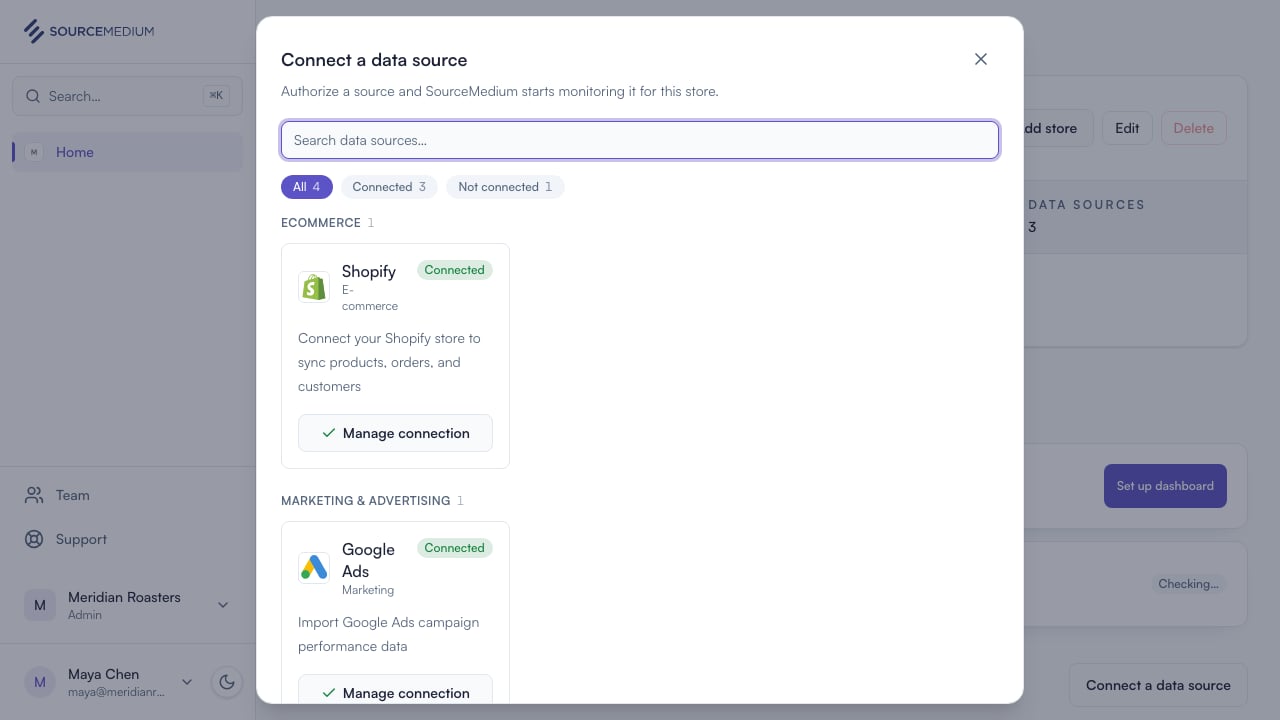
From your store page, Connect a data source lists every source available to connect. Sources that use keys carry an API key tag.
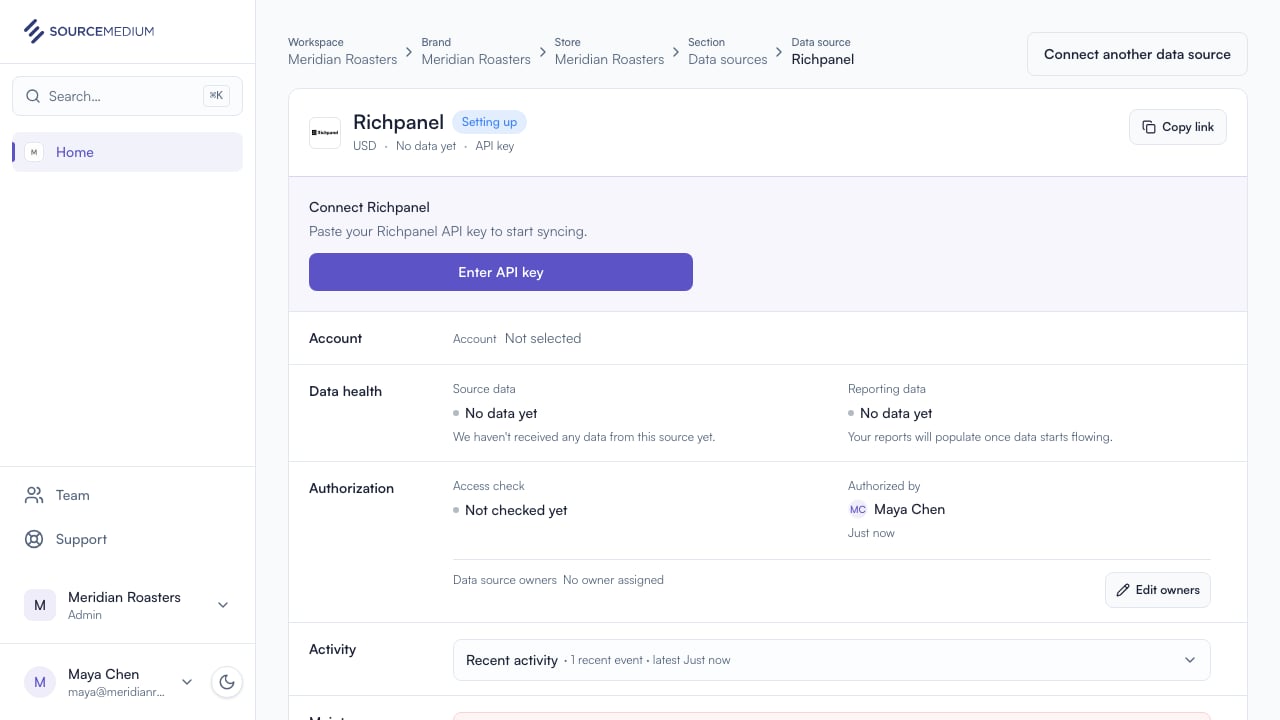
 Connect adds Richpanel to your store and opens its data source page.
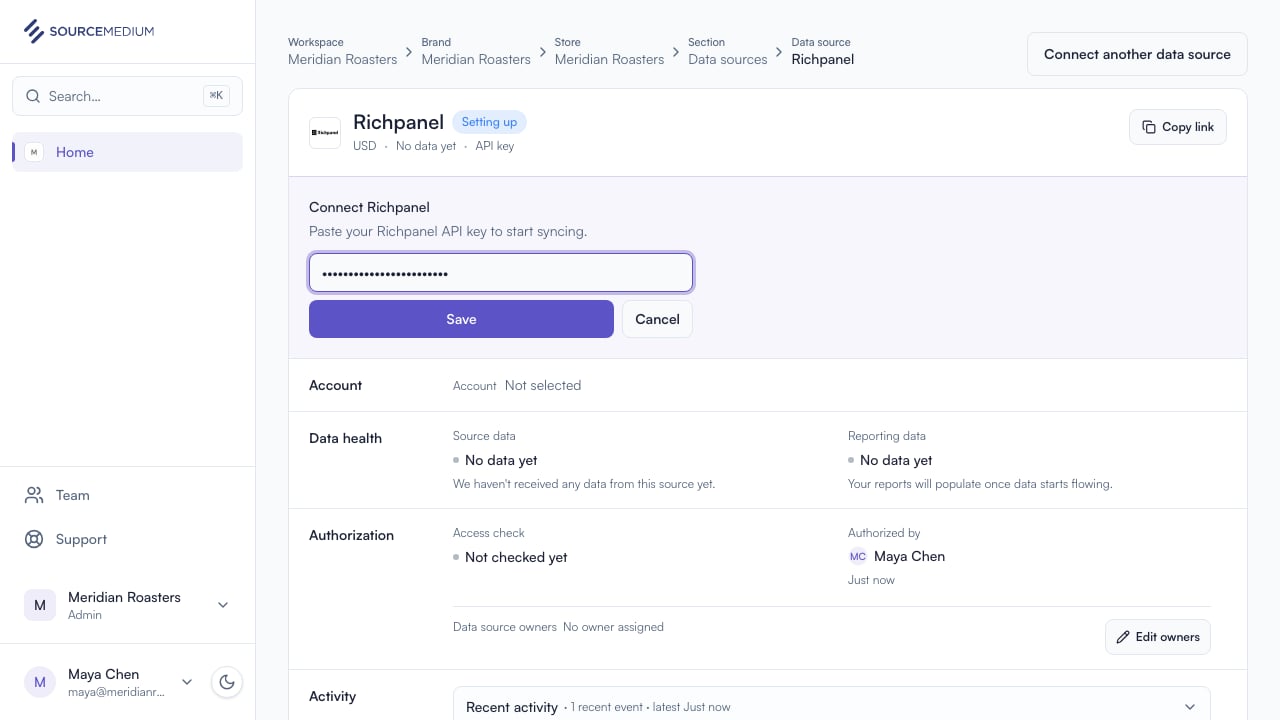
 Paste the key from your Richpanel account. When you save, SourceMedium validates it with Richpanel and securely stores accepted keys.
 ## Related
* [Richpanel integration guide](/data-inputs/platform-integration-instructions/richpanel-integration)
* [Connect a data source](/product-tours/connect-data-source)
* [Connection statuses](/product-tours/connection-statuses)
## Related
* [Richpanel integration guide](/data-inputs/platform-integration-instructions/richpanel-integration)
* [Connect a data source](/product-tours/connect-data-source)
* [Connection statuses](/product-tours/connection-statuses)