> ## Documentation Index
> Fetch the complete documentation index at: https://docs.sourcemedium.com/docs/llms.txt
> Use this file to discover all available pages before exploring further.
# How do I tag orders with post-purchase survey results from Fairing (Enquire)?
> Set up Shopify Flow to automatically tag orders with Fairing post-purchase survey responses for attribution analysis
## Requirements
Shopify Plus and Fairing (Enquire Pro) accounts
## Steps
1. Enable Shopify Flow in the Fairing (Enquire) app under **Integrations**
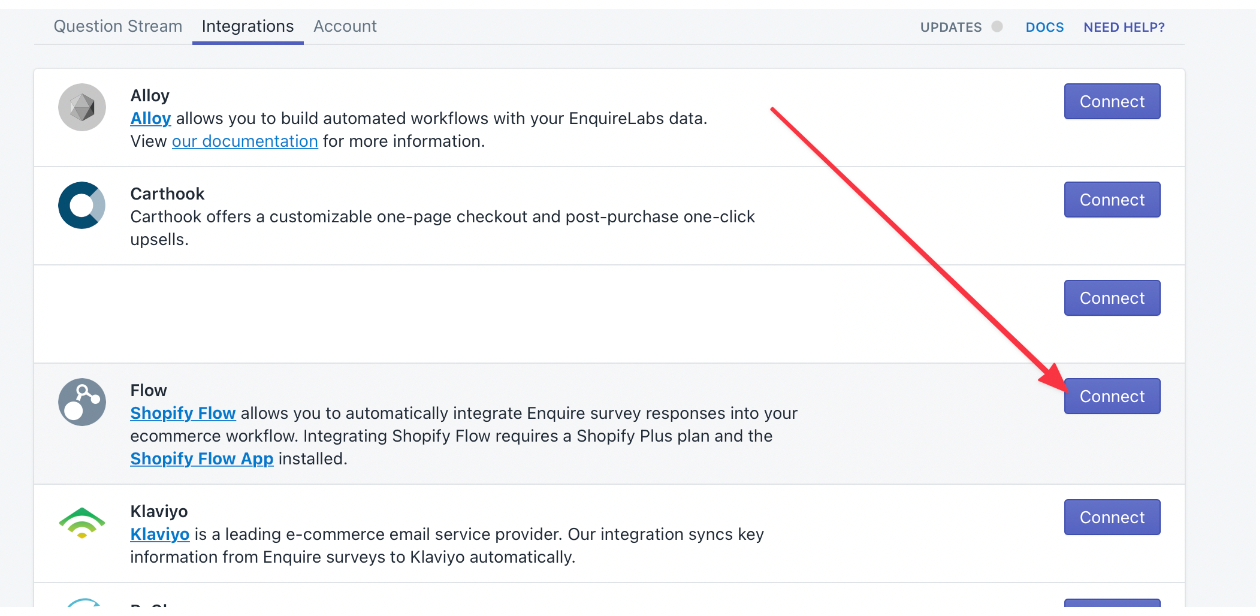 2. Open the Shopify Flow app in your Shopify store, click **Create Workflow**
3. Create a workflow with the same steps as the screenshot below (insert `Question id` in '**Check if…'** boxes, see below for how to find the question ID)
2. Open the Shopify Flow app in your Shopify store, click **Create Workflow**
3. Create a workflow with the same steps as the screenshot below (insert `Question id` in '**Check if…'** boxes, see below for how to find the question ID)
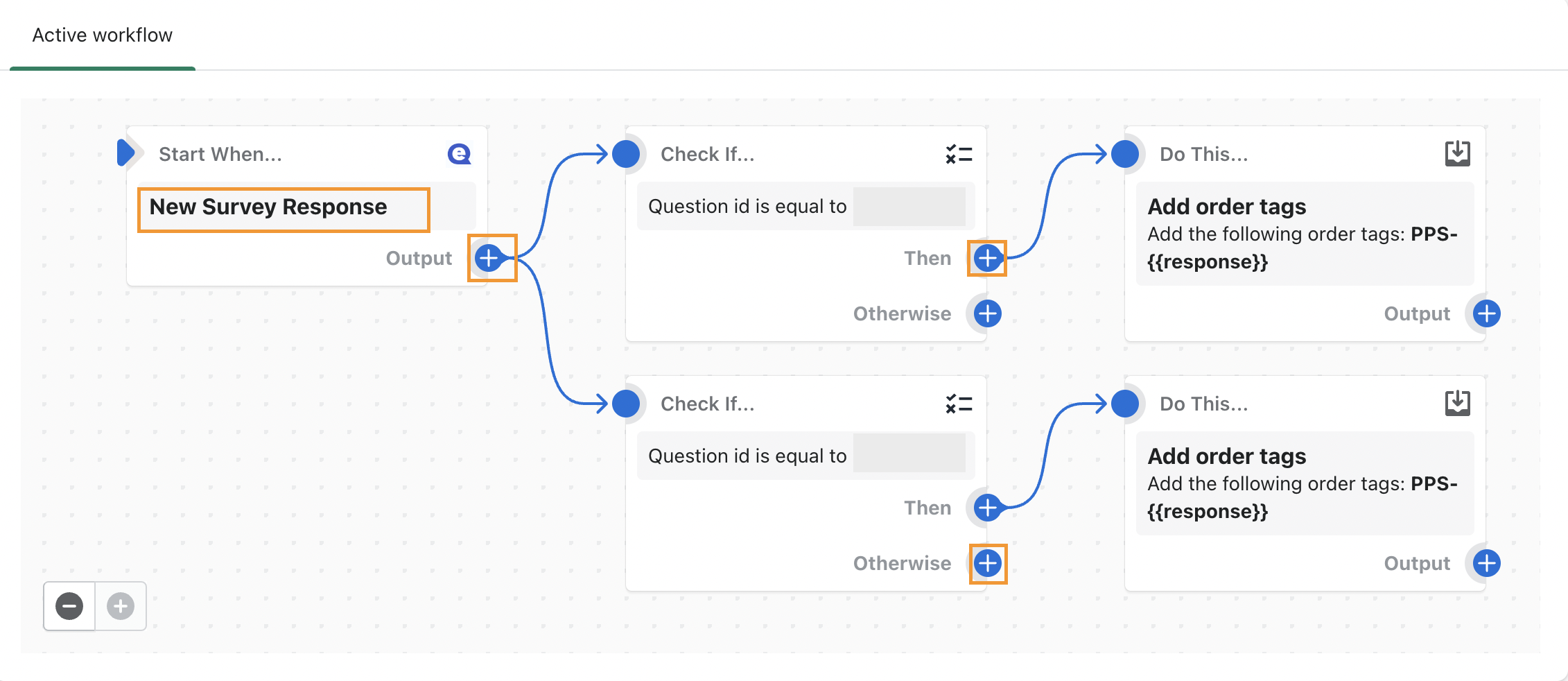 4. To include additional question responses, click the plus (+) button next to **Output** on the initial step
5. Once the workflow is activated, Fairing (Enquire) order-tags will populate within your dashboard. Reach to the SourceMedium team to help with visualizing this new data.
## Finding the Question ID
1. Access the Fairing App from Shopify
2. Click Analytics for your "How did you hear about us?" question
3. The last numeric digits of the URL are your Question ID
## Additional information and related articles
[Creating workflows in Shopify Flow](https://help.shopify.com/en/manual/shopify-flow/create-workflow)
[Enquire Shopify Flow Documentation](https://docs.enquirelabs.com/docs/shopify-flow)
4. To include additional question responses, click the plus (+) button next to **Output** on the initial step
5. Once the workflow is activated, Fairing (Enquire) order-tags will populate within your dashboard. Reach to the SourceMedium team to help with visualizing this new data.
## Finding the Question ID
1. Access the Fairing App from Shopify
2. Click Analytics for your "How did you hear about us?" question
3. The last numeric digits of the URL are your Question ID
## Additional information and related articles
[Creating workflows in Shopify Flow](https://help.shopify.com/en/manual/shopify-flow/create-workflow)
[Enquire Shopify Flow Documentation](https://docs.enquirelabs.com/docs/shopify-flow)