> ## Documentation Index
> Fetch the complete documentation index at: https://docs.sourcemedium.com/docs/llms.txt
> Use this file to discover all available pages before exploring further.
# How do I upload a CSV file to my BigQuery instance?
> Step-by-step instructions for uploading CSV files to your BigQuery data warehouse from your local machine
## Steps
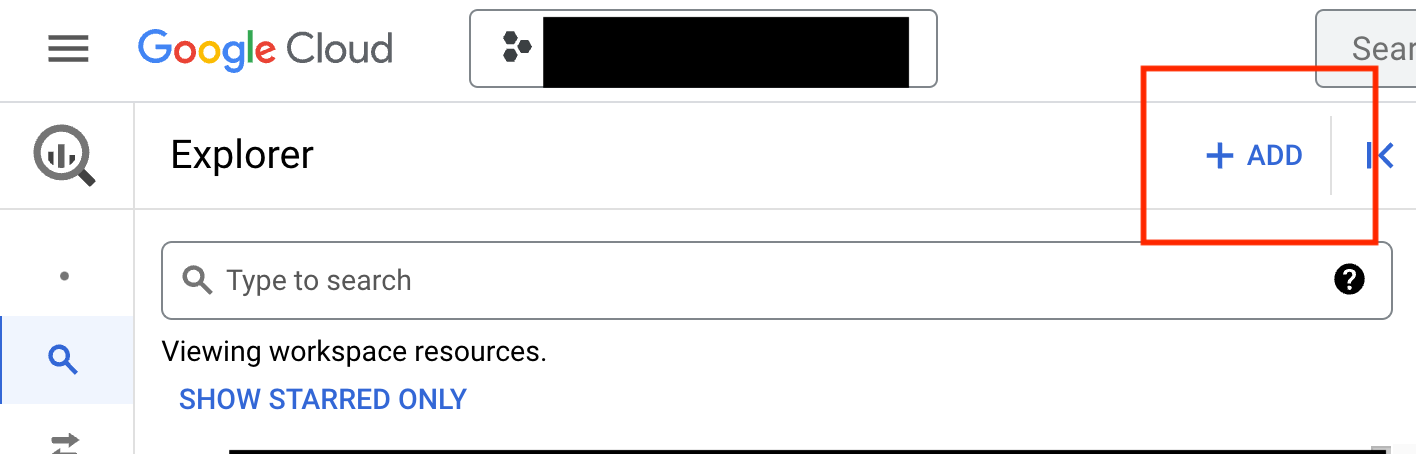
1. From the BigQuery SQL Workspace, find and click the blue “+ ADD” button above your data explorer
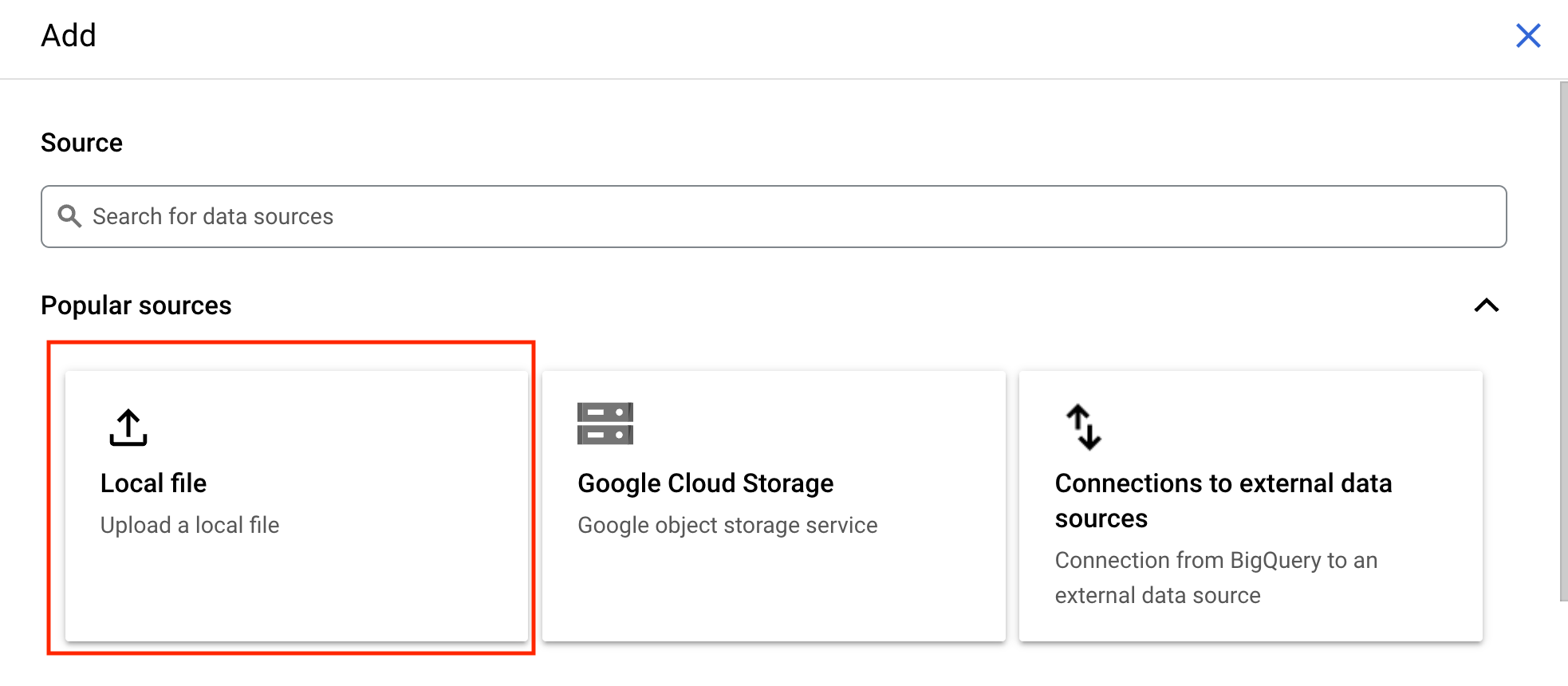
 2. In the pane that opens select the location of the file you wish to upload. For a CSV file from your local machine, select “Local file”
 3. In the upload form, select the file you wish to upload
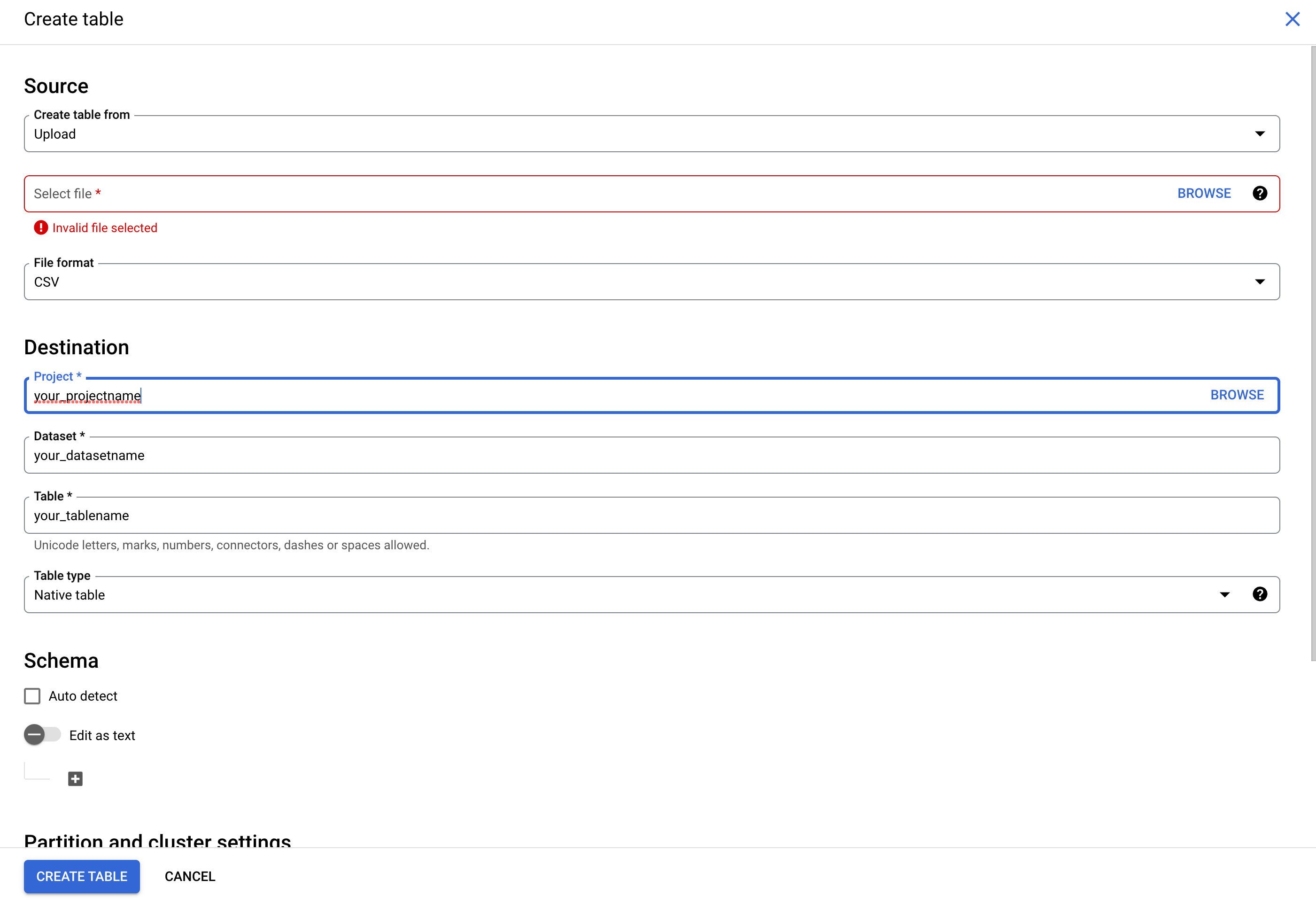 4. Select “CSV” as the File format
5. Specify the project, dataset, and table names where would like it to appear in your BQ instance
6. You can manually specify the schema or select “Auto detect” to allow BigQuery to use the column names as they appear in the CSV
7. Once you've done the above, click the “CREATE TABLE” button
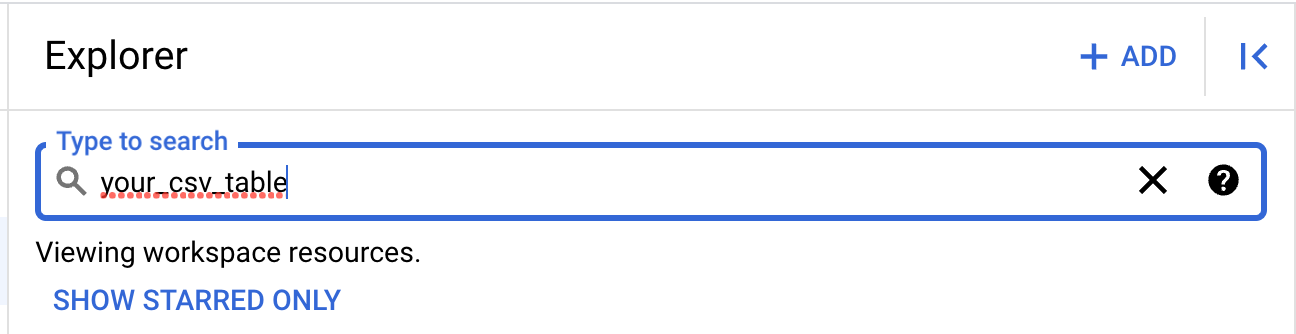
8. You can now search for your table and query it's contents from your data explorer
4. Select “CSV” as the File format
5. Specify the project, dataset, and table names where would like it to appear in your BQ instance
6. You can manually specify the schema or select “Auto detect” to allow BigQuery to use the column names as they appear in the CSV
7. Once you've done the above, click the “CREATE TABLE” button
8. You can now search for your table and query it's contents from your data explorer