> ## Documentation Index
> Fetch the complete documentation index at: https://docs.sourcemedium.com/docs/llms.txt
> Use this file to discover all available pages before exploring further.
# SourceMedium Data Architecture
> How your data gets from point A to B
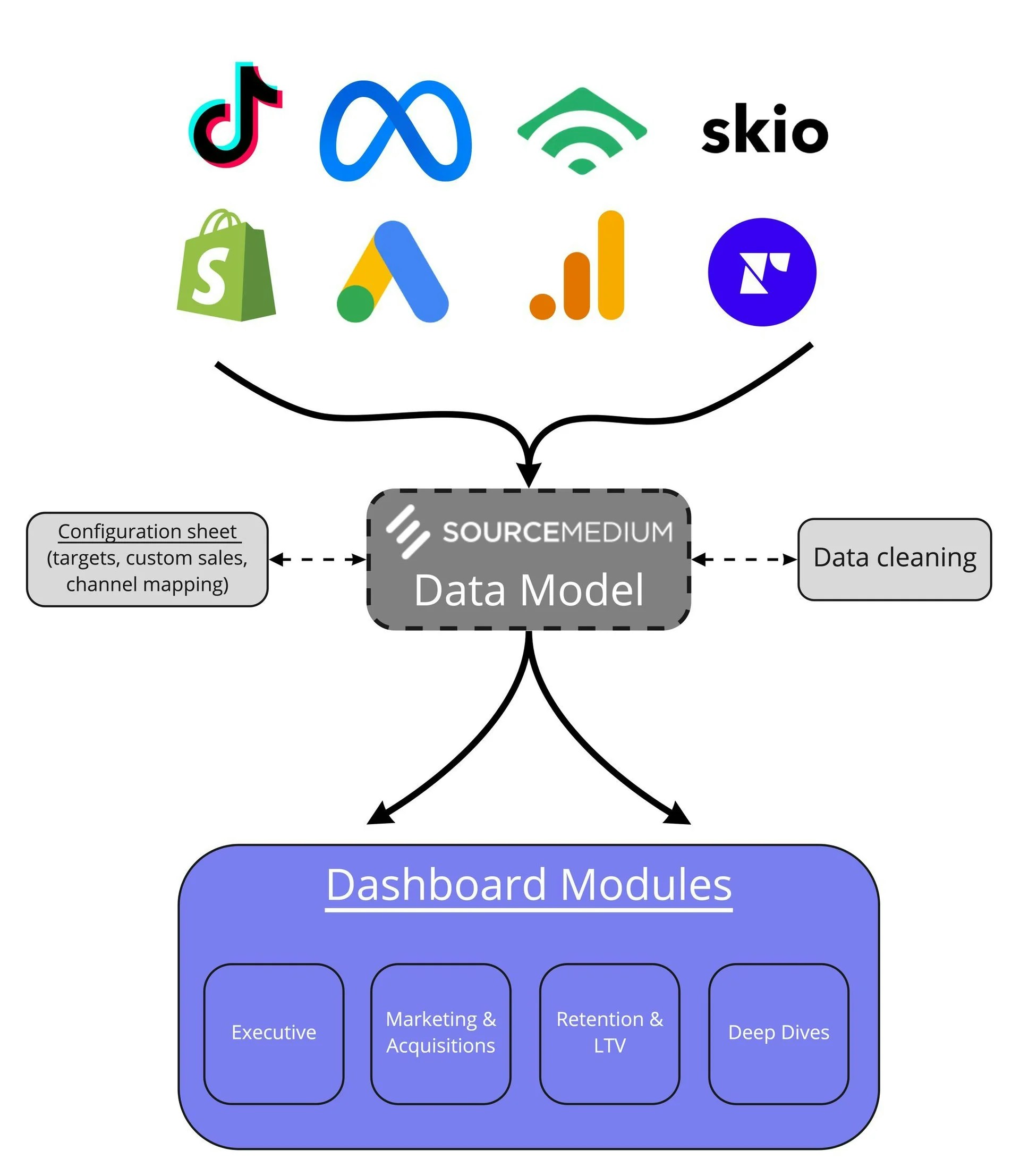 Our **data model** integrates and cleans your platforms’ data into a master table that each module of the
dashboard interacts with differently depending on the purpose of the module.
We use data from your connected sales platforms (Shopify, Amazon, etc.) as the transactional backbone for sales-based reporting.
Default **data cleaning** includes separating your sales into different channels. The Channel
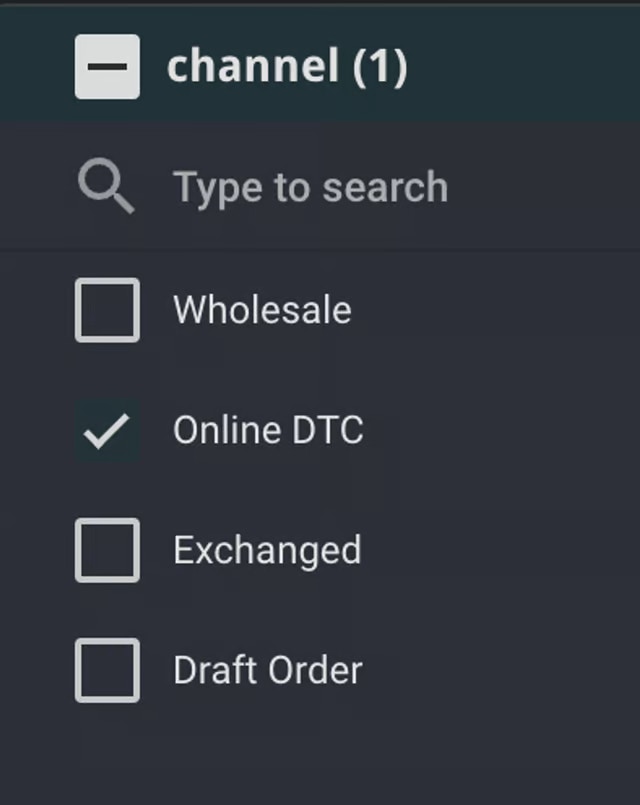
filter on each module is defaulted to **Online DTC** (excluding Exchanged, Draft, and Wholesale
orders to avoid skewing composite metrics such as Average Order Value).
Our **data model** integrates and cleans your platforms’ data into a master table that each module of the
dashboard interacts with differently depending on the purpose of the module.
We use data from your connected sales platforms (Shopify, Amazon, etc.) as the transactional backbone for sales-based reporting.
Default **data cleaning** includes separating your sales into different channels. The Channel
filter on each module is defaulted to **Online DTC** (excluding Exchanged, Draft, and Wholesale
orders to avoid skewing composite metrics such as Average Order Value).
 If you notice any mismatch between your Shopify Sales Report and your Executive Summary,
see [this article](/help-center/faq/data-faqs/why-dont-the-executive-summary-and-shopifys-sales-report-match) for possible explanations.
If you notice any mismatch between your Shopify Sales Report and your Executive Summary,
see [this article](/help-center/faq/data-faqs/why-dont-the-executive-summary-and-shopifys-sales-report-match) for possible explanations.